Managing recruitment with spreadsheets, email threads, and sticky notes doesn't scale. As your hiring grows beyond a handful of positions, the chaos becomes unsustainable—resumes get lost, candidates fall through cracks, and your team wastes hours on administrative tasks instead of finding great talent.
A recruitment management system (RMS) brings order to this chaos. It centralizes everything—job postings, applications, communications, interviews, and analytics—into a single platform that makes hiring efficient and collaborative.
This guide explains what a recruitment management system is, what features matter, and how to choose the right one for your organization. For a side-by-side ATS software comparison, check our dedicated guide.
TL;DR: A recruitment management system is software that handles your entire hiring process from job posting to offer. For lean recruiting teams and agencies, JuggleHire offers a complete RMS at $15/month. For mid-size companies, Workable and Greenhouse provide more advanced features. Enterprise organizations typically need platforms like iCIMS or SmartRecruiters.
#What is a Recruitment Management System?
A recruitment management system (RMS) is software that helps organizations plan, manage, and execute their hiring process. It serves as the central hub for all recruitment activities, from posting jobs to onboarding new hires.
#RMS vs. ATS: What's the Difference?
These terms are often used interchangeably, but there are subtle differences:
| Aspect | ATS (Applicant Tracking System) | RMS (Recruitment Management System) |
|---|---|---|
| Primary Focus | Tracking applicants | Managing entire recruitment process |
| Scope | Application → Hire | Requisition → Onboarding |
| Users | Primarily recruiters | Recruiters, hiring managers, leadership |
| Features | Candidate tracking, resume parsing | ATS features + planning, analytics, CRM |
| Strategic vs. Tactical | Tactical execution | Strategic management |
In practice, modern systems blur these lines. Most platforms called "ATS" include recruitment management features, and vice versa. Focus on capabilities rather than labels.
One line they genuinely do not blur is temp and contract staffing. If your agency is the employer of record and pays workers weekly, no amount of requisition planning substitutes for timesheets, pay-and-bill, and a VMS integration for enterprise clients — temporary staffing agency software covers what that adds to both the shortlist and the monthly bill.
#What an RMS Does
A comprehensive recruitment management system handles:
1. Requisition Management
- Job creation and approval workflows
- Position planning and budgeting
- Headcount tracking
2. Job Distribution
- Multi-channel posting (job boards, careers page, social)
- Programmatic job advertising
- Internal job boards
3. Candidate Management
- Application collection and parsing
- Candidate profiles and history
- Talent pool organization
4. Workflow Automation
- Stage progression triggers
- Automated communications
- Task assignments and reminders
5. Collaboration
- Hiring team coordination
- Interview feedback collection
- Offer approval workflows
6. Analytics & Reporting
- Hiring metrics (time-to-fill, cost-per-hire)
- Source effectiveness
- Pipeline health
#Key Features of a Recruitment Management System
#Must-Have Features
1. Job Posting and Distribution
Your RMS should make posting jobs easy:
- One-click posting to multiple job boards
- Careers page integration
- Social media sharing
- Job template library
- Mobile-optimized application forms
2. Candidate Tracking
The core of any RMS:
- Visual pipeline with customizable stages
- Candidate profiles with full history
- Resume parsing and search
- Duplicate detection
- Bulk actions for efficiency
3. Communication Tools
Keep candidates engaged:
- Email templates for consistency
- Automated status updates
- Scheduling integration (calendar sync)
- SMS/text messaging
- Candidate portal for self-service
4. Interview Management
Streamline the interview process:
- Self-scheduling for candidates
- Interview guides and scorecards
- Video interview integration
- Feedback collection from interviewers
- Collaborative evaluation
5. Team Collaboration
Hiring is a team sport:
- Role-based permissions
- Shared notes and comments
- @mentions and notifications
- Approval workflows
- Activity feeds
6. Reporting and Analytics
Make data-driven decisions:
- Standard reports (time-to-fill, source effectiveness)
- Custom report builder
- Dashboard visualizations
- Export capabilities
- Benchmark comparisons
#Nice-to-Have Features
- Candidate relationship management (CRM) for nurturing passive candidates
- AI-powered matching for candidate recommendations
- Background check integration for streamlined vetting
- Offer management with e-signatures
- Onboarding workflows for seamless handoffs
- Mobile apps for hiring on-the-go
- API access for custom integrations
#Benefits of Using a Recruitment Management System
#1. Time Savings
Manual recruiting is time-intensive:
- Manually posting to 5 job boards: 2 hours
- Reviewing 200 resumes one-by-one: 10+ hours
- Coordinating schedules via email: hours of back-and-forth
An RMS automates these tasks, letting recruiters focus on candidate relationships and decision-making.
Typical time savings: 40-60% reduction in administrative time.
#2. Better Candidate Experience
Candidates judge your company by your hiring process. An RMS helps you:
- Respond quickly with automated acknowledgments
- Keep candidates informed at every stage
- Offer convenient self-scheduling
- Provide a professional, branded experience
Impact: Companies with strong candidate experience see 70% improvement in quality of hire.
#3. Improved Collaboration
Without an RMS, hiring teams operate in silos—feedback lives in email threads, status updates require meetings, and decisions get delayed. An RMS creates transparency:
- Everyone sees the same candidate information
- Feedback is collected systematically
- Decisions happen faster with all data in one place
#4. Data-Driven Decisions
Gut instinct isn't enough. An RMS provides visibility into:
- Which sources produce the best candidates
- Where candidates drop out of your process
- How long each stage takes
- What's working and what's not
Result: Continuous improvement of your hiring process over time.
#5. Compliance and Consistency
Hiring involves legal requirements (EEO, GDPR, local labor laws). An RMS helps you:
- Maintain consistent processes (reducing discrimination risk)
- Store required documentation
- Generate compliance reports
- Audit hiring decisions
#6. Scalability
Spreadsheets work for 5 hires a year. They break at 50. An RMS scales with your growth, maintaining efficiency whether you're hiring 10 or 1,000 people annually.
#How to Choose a Recruitment Management System
#Step 1: Assess Your Needs
Before evaluating software, understand your requirements:
Current State
- How many hires per year?
- How many recruiters/hiring managers involved?
- What tools do you currently use?
- What's broken in your current process?
Future State
- Expected hiring growth?
- New locations or departments?
- Compliance requirements?
- Integration needs?
Turnover and shift pattern matter here as much as headcount. Filling warehouse, production-line, and general-labor roles means high volume, fast churn, and weekly pay — a different job from filling salaried positions, and the reason industrial staffing software is built and priced separately from a general recruitment management system.
#Step 2: Define Must-Have vs. Nice-to-Have
Create two lists:
Must-Have (deal breakers)
- Features you absolutely need
- Integration requirements
- Budget constraints
- Security/compliance needs
Nice-to-Have (differentiators)
- Features that would be helpful
- Future needs
- Wish list items
#Step 3: Research and Shortlist
Based on your requirements, identify 3-5 potential solutions. Consider:
- Company size fit
- Industry experience
- Customer reviews
- Implementation timeline
- Total cost of ownership
#Step 4: Request Demos
For each shortlisted vendor:
- Schedule a demo with real scenarios
- Include key stakeholders (recruiters, hiring managers)
- Ask about implementation and support
- Request references from similar companies
#Step 5: Evaluate Total Cost
Look beyond the sticker price:
- Subscription costs (per user? per hire? flat rate?)
- Implementation fees
- Training costs
- Integration expenses
- Ongoing support costs
#Step 6: Check References
Talk to actual customers:
- How was implementation?
- What problems have they encountered?
- How responsive is support?
- Would they choose this vendor again?
#Top Recruitment Management Systems by Company Size
#Small Businesses (1-50 Employees)
JuggleHire — Best Overall for Small Business

JuggleHire provides a complete recruitment management system at a price point that makes sense for small businesses. You get all the core features—job posting, candidate tracking, team collaboration, and analytics—without the enterprise complexity.
Key Features:
- Multi-channel job posting
- Visual candidate pipeline
- Email templates and automation
- Interview scheduling
- Team collaboration tools
- Hiring analytics dashboard
Pricing: Starting at $15/month (14-day free trial, no free plan)
Best For: Small businesses wanting professional recruiting without enterprise costs.
Breezy HR — Best Free Option
Breezy HR offers a functional free tier that works for very early-stage companies or those with minimal hiring needs.
Pricing: Free (limited), $157-$399/month (paid tiers)
Recruitee — Best for Growing SMBs
Recruitee balances ease of use with powerful features, making it a solid choice for small businesses planning to grow.
Pricing: Starting at $199/month
#Mid-Size Companies (50-500 Employees)
Workable — Best for Fast Implementation
Workable gets you running quickly with minimal setup. Their platform is intuitive and includes AI-powered sourcing.
Pricing: $149-$599/month
Greenhouse — Best for Structured Hiring
Greenhouse enforces hiring best practices with structured interviews and scorecards. Excellent for companies serious about fair, consistent hiring.
Pricing: Starting at ~$6,000/year
Lever — Best for Candidate Relationships
Lever combines ATS with CRM, excelling at building and nurturing candidate relationships over time.
Pricing: Custom (typically $6,000-$15,000/year)
#Enterprise (500+ Employees)
iCIMS — Best for Large Enterprise
iCIMS handles the complexity of enterprise recruiting—global hiring, compliance, high volume, sophisticated workflows.
Pricing: Custom enterprise pricing
SmartRecruiters — Best for Global Companies
SmartRecruiters supports 40+ languages and has deep experience with multinational hiring.
Pricing: Custom enterprise pricing
Workday Recruiting — Best for Workday Shops
If you're already on Workday HCM, their recruiting module provides seamless integration.
Pricing: Part of Workday HCM suite
#Implementing a Recruitment Management System
#Phase 1: Planning (Week 1-2)
Define Goals
- What does success look like?
- Which metrics will you track?
- Who's the project owner?
Document Current Process
- Map existing workflows
- Identify what to keep vs. change
- Note integration requirements
Build Your Team
- Project sponsor (executive support)
- Project manager (day-to-day coordination)
- Technical lead (integrations, data)
- Change champions (user adoption)
#Phase 2: Configuration (Week 2-4)
Basic Setup
- Company information and branding
- User accounts and permissions
- Email templates and signatures
- Career page customization
Process Configuration
- Hiring stages and workflows
- Approval processes
- Automation rules
- Scorecards and feedback forms
Integrations
- Calendar (Google, Outlook)
- HRIS/Payroll
- Background check
- Job boards
#Phase 3: Data Migration (Week 4-5)
What to Migrate
- Active candidates (in-process applications)
- Recent hires (historical reference)
- Job templates
- Email templates
What to Leave Behind
- Old, irrelevant data
- Duplicates
- Incomplete records
Validation
- Spot-check migrated data
- Verify relationships preserved
- Test workflows with real data
#Phase 4: Training (Week 5-6)
Training by Role
- Recruiters: Full platform training
- Hiring managers: Interview, feedback, approvals
- Executives: Reporting and dashboards
- Candidates: Application experience (optional)
Training Materials
- Quick reference guides
- Video tutorials
- FAQ documents
- Support contact information
#Phase 5: Launch (Week 6-7)
Soft Launch
- Start with one team or job type
- Gather early feedback
- Address issues before full rollout
Full Launch
- Communicate to all users
- Provide go-live support
- Monitor for issues
#Phase 6: Optimization (Ongoing)
Regular Reviews
- Weekly in first month
- Monthly after stabilization
- Quarterly for optimization
Continuous Improvement
- Gather user feedback
- Analyze metrics
- Refine workflows
- Adopt new features
#Common RMS Implementation Mistakes
#1. Insufficient Training
Users who don't know the system won't use it. Invest in proper training—not just a single session, but ongoing education as features evolve.
#2. Over-Customization
It's tempting to replicate every quirk of your old process. Resist this urge. Use the implementation as an opportunity to adopt best practices.
#3. Poor Data Migration
Garbage in, garbage out. Clean your data before migration. Don't import duplicates, incomplete records, or irrelevant history.
#4. Ignoring Change Management
New software requires new behaviors. Communicate why you're changing, involve users in decisions, and address resistance proactively.
#5. Going Live Too Fast
Rushing to launch creates problems. Take time for proper configuration, testing, and training. It's better to launch right than launch fast.
#Measuring RMS Success
#Key Metrics to Track
Efficiency Metrics
- Time-to-fill: Days from job opening to offer acceptance
- Time-in-stage: How long candidates spend at each stage
- Recruiter productivity: Hires per recruiter
Quality Metrics
- Quality of hire: New hire performance and retention
- Hiring manager satisfaction: Internal customer feedback
- Candidate experience: Application completion rate, candidate NPS
Cost Metrics
- Cost-per-hire: Total recruiting cost / number of hires
- Source effectiveness: Cost and quality by sourcing channel
Process Metrics
- Pipeline conversion rates: % moving from each stage to next
- Offer acceptance rate: % of offers accepted
- Application completion rate: % of started applications completed
#Setting Benchmarks
Compare against:
- Your historical performance (before RMS)
- Industry averages
- Similar companies
- Vendor benchmarks
#Frequently Asked Questions
#What is the best recruitment management system for small businesses?
JuggleHire offers the best value for lean recruiting teams at $15/month, providing all core RMS features without enterprise complexity. Breezy HR's free tier works for very minimal hiring needs.
#How much does a recruitment management system cost?
Costs vary by vendor and company size:
- Small business: $0-200/month (JuggleHire, Breezy HR)
- Mid-market: $300-1,500/month (Workable, Greenhouse, Lever)
- Enterprise: $2,000-10,000+/month (iCIMS, SmartRecruiters)
#How long does RMS implementation take?
- Small business solutions: 1-2 weeks
- Mid-market platforms: 4-8 weeks
- Enterprise systems: 3-6 months
#Can a recruitment management system integrate with our existing HR software?
Most modern RMS platforms offer integrations with:
- HRIS/HCM systems (Workday, BambooHR, etc.)
- Payroll platforms
- Background check services
- Calendar applications
- Communication tools (Slack, Teams)
- Job boards
Check specific integration availability before purchasing.
#What's the ROI of a recruitment management system?
Companies typically see:
- 40-60% reduction in administrative time
- 25-50% faster time-to-fill
- 20-30% reduction in cost-per-hire
- Improved quality of hire (harder to quantify but significant)
For a company making 50 hires/year at $5,000 cost-per-hire, a 25% cost reduction saves $62,500 annually—far exceeding most RMS costs.
#Conclusion
A recruitment management system transforms hiring from chaotic to controlled. By centralizing your process, automating administrative tasks, and providing visibility through analytics, an RMS helps you hire better, faster, and more efficiently.
For small businesses, JuggleHire provides a complete recruitment management system at an accessible price point. For mid-size companies, Workable and Greenhouse offer the features and structure to scale. For enterprises, iCIMS and SmartRecruiters deliver the sophistication global organizations require.
Start by assessing your needs and defining success criteria. Most platforms offer free trials or demos—take advantage of these to find the right fit before committing.
Ready to streamline your recruiting? Try JuggleHire free for 14 days.
#Related Resources
Free download
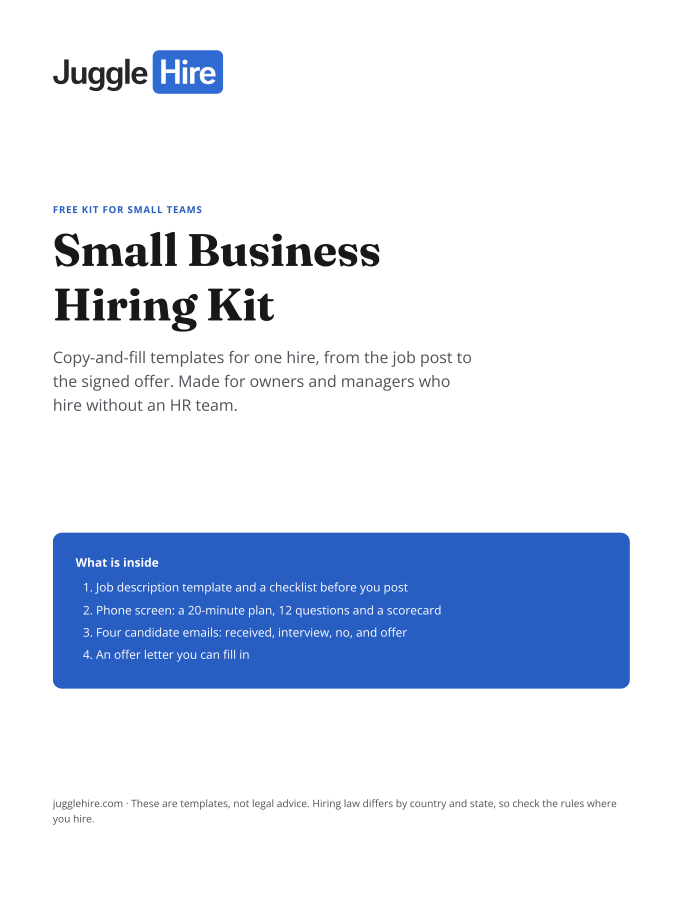
Get the Small Business Hiring Kit
- Job description template and a checklist before you post
- 20-minute phone screen: 12 questions and a scorecard
- Four candidate emails: received, interview, no, and offer
- An offer letter you can fill in
Free. We email you the kit and three short hiring tips. Unsubscribe any time.
Tagged with:

Zakir Hossen
Zakir, founder of JuggleHire - a Google Forms alternative for hiring. Bootstrapped entrepreneur and software engineer with 10+ years coding experience from BD.
Related Posts
ATS for Staffing Agency: How to Choose One in 2026
A buyer's checklist for picking an ATS for a staffing agency — what to look for, and where JuggleHire fits.
ats for staffing agencystaffing agency softwareapplicant tracking system
Read more
ATS for Staffing Agencies: The Real Monthly Cost for a 3-Recruiter Team (2026)
What a 3-recruiter staffing agency actually pays for an ATS — verified per-seat rates from $237 to $597/mo, and the flat-price alternative at $15/mo.
ats pricing for staffing agenciesstaffing agency software costper-seat vs flat-rate ats+1 more
Read more