78% of candidates say the hiring experience reflects how a company treats its employees. A poor candidate experience doesn't just cost you one hire—it damages your employer brand and shrinks your future talent pool.
Yet most companies still put candidates through frustrating, impersonal, and opaque hiring processes. Applications disappear into black holes. Interviews get rescheduled three times. Rejections come months later (or never).
Candidate experience tools help you fix this by streamlining communication, providing transparency, and creating a professional journey from application to offer—or rejection.
This guide covers the tools and strategies that actually improve candidate experience, with practical implementation advice for companies of all sizes.
TL;DR: A good ATS like JuggleHire ($15/month) handles 80% of candidate experience basics—automated updates, organized communication, professional career pages. Add scheduling automation (Calendly) and you've covered the fundamentals.
#What is Candidate Experience?
Candidate experience is how applicants perceive your hiring process. It includes every interaction:
| Touchpoint | Good Experience | Poor Experience |
|---|---|---|
| Job discovery | Clear, compelling job post | Vague, jargon-filled listing |
| Application | 5-minute mobile-friendly form | 45-minute desktop-only process |
| Acknowledgment | Immediate confirmation email | No response for weeks |
| Screening | Quick, respectful phone call | Ghosting after resume review |
| Interview scheduling | Self-service booking link | 15-email thread over 2 weeks |
| Interview | Prepared, respectful interviewers | Unprepared, running late |
| Follow-up | Update within 48 hours | Radio silence |
| Rejection | Personalized, timely feedback | Form email months later (or nothing) |
| Offer | Clear terms, enthusiasm | Confusing, delayed |
#Why Candidate Experience Matters
For hiring success:
- Candidates with positive experiences are 38% more likely to accept offers
- Poor experience leads to 60% of candidates abandoning applications
- Top candidates have options—experience often determines their choice
For employer brand:
- 72% of candidates share negative experiences online
- Bad Glassdoor reviews hurt future recruiting
- Word spreads in professional networks
For business results:
- Rejected candidates are potential customers
- Virgin Media calculated poor candidate experience cost them $5.4M annually in lost customers
- Employee referrals (best candidates) dry up with poor reputation
#Categories of Candidate Experience Tools
#1. Applicant Tracking Systems (Foundation)
Your ATS is the foundation of candidate experience. It determines how organized, responsive, and professional your process feels.
How ATS improves candidate experience:
- Automatic application acknowledgment
- Status updates at each stage
- Professional careers page
- Organized communication history
- Consistent process for every candidate
Best options:
| ATS | Candidate Experience Strengths | Price |
|---|---|---|
| JuggleHire | Simple application, auto-updates, mobile-friendly | $15/month |
| Greenhouse | Best-in-class application flow, structured process | $500+/month |
| Workable | Easy apply, good communication tools | $149/month |
| Pinpoint | Beautiful careers pages, candidate-first design | $600/month |
Recommendation: JuggleHire provides excellent candidate experience fundamentals at the best price point for small businesses.
#2. Career Site Builders
Your careers page is often a candidate's first impression. It should answer their questions and make applying easy.
Key features for good candidate experience:
- Mobile-responsive design
- Search/filter for open roles
- Company culture content (videos, photos, team info)
- Clear job descriptions
- Simple application process
- FAQ section
Options:
| Tool | Strengths | Price |
|---|---|---|
| Built-in ATS pages | Integrated, simple | Included with ATS |
| Teamtailor | Beautiful design, content-rich | €250/month |
| Pinpoint | Candidate-first design | $600/month |
| Breezy | Good templates, easy setup | $157/month |
| Custom build | Full control | Developer time |
Recommendation: Start with your ATS's built-in career page. JuggleHire includes a professional, customizable careers site.
#3. Scheduling Automation
Nothing frustrates candidates more than scheduling. Back-and-forth emails waste their time and make you look disorganized.
How scheduling tools improve experience:
- Candidates choose convenient times
- Automatic timezone handling
- Calendar confirmation + reminders
- Easy rescheduling if needed
- No email ping-pong
Options:
| Tool | Strengths | Price |
|---|---|---|
| Calendly | Universal, easy to use | Free-$20/month |
| Cal.com | Open source, customizable | Free-$15/month |
| GoodTime | Advanced coordination for panels | Enterprise pricing |
| Built-in ATS | Integrated with candidate data | Included |
Recommendation: Calendly's free tier works for most small businesses. Upgrade if you need team features or complex scheduling.
#4. Communication & Engagement Tools
Candidates want to know what's happening. Silence breeds anxiety and distrust.
Key communication touchpoints:
- Application received confirmation (immediate)
- Application reviewed update (within 1 week)
- Interview invitation or rejection (within 2 weeks)
- Post-interview update (within 48-72 hours)
- Final decision (within 1 week of final interview)
Tools that help:
| Tool | What It Does | Price |
|---|---|---|
| ATS email templates | Consistent, timely communication | Included |
| Gem | Personalized outreach, sequences | $500+/month |
| Paradox (Olivia) | AI chatbot for instant responses | Enterprise |
| Phenom | Personalized candidate portal | Enterprise |
Recommendation: Use your ATS's email templates. Set up automatic status updates. This handles 90% of communication needs.
#5. Pre-Employment Assessment Tools
Assessments can enhance or hurt candidate experience depending on implementation.
Good assessment experience:
- Relevant to the role
- Reasonable length (under 45 minutes)
- Clear instructions
- Works on any device
- Quick results communication
Bad assessment experience:
- Generic tests unrelated to job
- 2+ hour assessments
- Desktop-only, finicky software
- Never hearing results
Options:
| Tool | Experience Quality | Price |
|---|---|---|
| TestGorilla | Clean interface, mobile-friendly | $26-115/month |
| Codility | Good for developers | $500+/month |
| Criteria Corp | Science-backed, respectful | Custom pricing |
| HireVue | Video + assessment combined | Enterprise |
Recommendation: If you use assessments, keep them under 30 minutes and only assess skills that matter for the role.
#6. Video Interview Platforms
Video interviews are now standard. The tool you use affects candidate experience.
Good video experience:
- Works in browser (no downloads)
- Clear instructions
- Test call option
- Stable, professional interface
- Recording availability for review
Options:
| Tool | Experience Quality | Price |
|---|---|---|
| Zoom | Familiar to most candidates | Free-$16/month |
| Google Meet | Browser-based, simple | Included with Workspace |
| BreezyHR | Built into ATS | $157/month |
| HireVue | Professional but requires download | Enterprise |
Recommendation: Use whatever your candidates are most likely to know (usually Zoom or Google Meet).
#7. Candidate Feedback Tools
Measuring candidate experience helps you improve it.
What to measure:
- Application process rating
- Communication quality
- Interview experience
- Overall impression
- Likelihood to recommend
Options:
| Tool | What It Does | Price |
|---|---|---|
| Starred | Candidate experience surveys | $300+/month |
| Survale | Real-time candidate feedback | Custom |
| Typeform | Simple surveys (DIY) | Free-$50/month |
| Google Forms | Basic surveys | Free |
Recommendation: Start with a simple Google Form survey sent to all candidates (including rejected ones) after the process ends.
#Building a Great Candidate Experience: Step by Step
#Step 1: Audit Your Current Experience
Apply to your own company. Note every friction point:
- How long does the application take?
- What confirmation do you receive?
- When do you hear back?
- How clear is the process?
#Step 2: Fix the Application Process
Target: Under 5 minutes, mobile-friendly
- Remove unnecessary fields
- Don't require cover letters unless you read them
- Allow LinkedIn/resume uploads
- Provide immediate confirmation
- Set expectations for next steps
JuggleHire makes this easy with a simple, customizable application form.
#Step 3: Communicate at Every Stage
Set up automatic emails:
| Stage | Timing | |
|---|---|---|
| Applied | "We received your application" | Immediate |
| Screening | "Your application is being reviewed" | When you start reviewing |
| Advancing | "We'd like to interview you" | Within 2 weeks |
| Not advancing | "We're moving forward with other candidates" | Within 2 weeks |
| Post-interview | "Thank you for interviewing" | Within 24 hours |
| Decision | Offer or rejection | Within 1 week |
#Step 4: Make Scheduling Painless
- Use Calendly or similar for self-service booking
- Include timezone in all communications
- Send calendar invites with video links
- Provide clear interview instructions
#Step 5: Prepare Interviewers
Candidate experience depends heavily on interviewer behavior:
- Review the candidate's resume before the interview
- Start on time
- Let candidates ask questions
- Explain next steps before ending
#Step 6: Close the Loop
Every candidate deserves a response, even if it's a rejection:
- Respond within 2 weeks of final interview
- For rejections, be respectful and prompt
- Offer feedback when possible (at least to final-round candidates)
- Thank them for their time
#Candidate Experience by Company Size
#Startups (1-20 Employees)
Focus on: Speed and personal touch
Recommended tools:
- JuggleHire ($15/month) for ATS + career page
- Calendly (free) for scheduling
- Zoom (free) for interviews
- Google Forms (free) for feedback surveys
Quick wins:
- Personal emails from founders/hiring managers
- Fast decision-making (days, not weeks)
- Transparent process (tell candidates exactly what to expect)
#Small Businesses (20-100 Employees)
Focus on: Consistency and professionalism
Recommended tools:
- JuggleHire Unlimited ($49/month) for growing team
- Calendly for scheduling
- TestGorilla ($26/month) for assessments if needed
- Typeform for feedback
Quick wins:
- Standardized email templates for every stage
- Interview guides to ensure consistent experience
- Regular candidate feedback collection
#Growing Companies (100-500 Employees)
Focus on: Scalability and measurement
Recommended tools:
- Workable or Greenhouse for enterprise features
- GoodTime for complex scheduling
- Starred for candidate experience measurement
- Phenom or Beamery for talent CRM
Quick wins:
- Candidate experience metrics dashboard
- Recruiter training on candidate experience
- Regular process optimization based on data
#Measuring Candidate Experience
#Key Metrics to Track
| Metric | What It Measures | Target |
|---|---|---|
| Application completion rate | % who finish applying | >80% |
| Time to first response | Days to acknowledge application | <3 days |
| Time to hire | Days from application to offer | <30 days |
| Candidate NPS | Would they recommend applying? | >50 |
| Offer acceptance rate | % who accept offers | >80% |
| Glassdoor interview rating | Public perception | >4.0 |
#Simple Feedback Survey
Send this to all candidates after the process:
- How would you rate the overall hiring process? (1-5)
- How clear was communication throughout? (1-5)
- How respectful were your interviews? (1-5)
- Would you recommend applying here to a friend? (1-10)
- What could we improve? (open text)
#Common Candidate Experience Mistakes
#1. The Black Hole
Problem: Candidates apply and never hear anything.
Fix: Set up automatic acknowledgment emails. Use your ATS to track and respond to every application.
#2. Too Many Rounds
Problem: 6+ interviews exhausts candidates and signals disorganization.
Fix: Limit to 3-4 interviews maximum. Consolidate when possible.
#3. Ghosting After Interviews
Problem: Candidates invest hours interviewing, then never hear back.
Fix: Commit to responding within 1 week of any interview. Automate reminders.
#4. Unclear Process
Problem: Candidates don't know what to expect or where they stand.
Fix: Explain the full process upfront. Provide timeline estimates.
#5. Slow Decisions
Problem: Weeks pass between stages. Top candidates take other offers.
Fix: Set internal SLAs (e.g., "interview within 5 days of screening").
#Frequently Asked Questions
#What is the most important candidate experience tool?
Your ATS is the foundation. A good ATS like JuggleHire provides automatic confirmations, organized communication, and professional career pages—handling most candidate experience basics.
#How much do candidate experience tools cost?
You can build excellent candidate experience for under $50/month:
- JuggleHire: $15/month
- Calendly: Free
- Zoom: Free
- Google Forms surveys: Free
Enterprise tools (Phenom, Beamery, Avature) cost $500-5,000+/month.
#How do you measure candidate experience?
Send a simple survey after every hiring process (whether the candidate was hired or rejected). Ask about communication, respect, clarity, and whether they'd recommend applying. Track metrics like application completion rate, time to response, and offer acceptance rate.
#What's the biggest candidate experience mistake?
Not responding to candidates at all. 75% of candidates never hear back after applying. Simple acknowledgment emails (automated by your ATS) solve this instantly.
#Should rejected candidates get feedback?
Ideally, yes—at least for candidates who interviewed. Practical reality: personalized feedback is time-consuming. At minimum, send a respectful, timely rejection email. For final-round candidates, offer a brief phone call if requested.
#Conclusion
Candidate experience isn't about expensive software—it's about respect, communication, and organization. The fundamentals:
- Acknowledge every application (automated email)
- Communicate at every stage (templates, reminders)
- Make scheduling easy (self-service booking)
- Respect candidates' time (efficient process)
- Close the loop (timely decisions, even rejections)
A good ATS handles most of this automatically. JuggleHire at $15/month provides the foundation for excellent candidate experience: automatic confirmations, organized communication, professional career pages, and team collaboration.
Ready to improve your candidate experience? Try JuggleHire free for 14 days—your candidates will notice the difference.
#Free Tools for Better Candidate Experience
- Candidate Email Template Generator — Professional emails for every hiring stage
- Candidate Rejection Email Generator — Empathetic rejection emails that protect your brand
- Interview Questions Generator — Consistent, structured interview questions
- Offer Letter Generator — Professional offer letters in minutes
- Employer Branding Audit — Score your employer brand across all touchpoints
#Related Resources
Free download
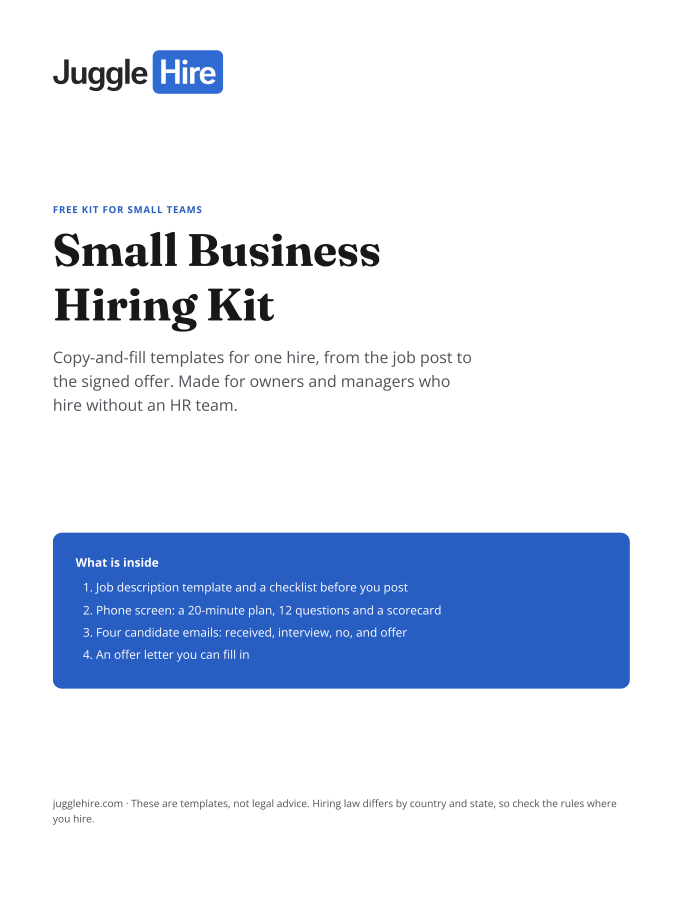
Get the Small Business Hiring Kit
- Job description template and a checklist before you post
- 20-minute phone screen: 12 questions and a scorecard
- Four candidate emails: received, interview, no, and offer
- An offer letter you can fill in
Free. We email you the kit and three short hiring tips. Unsubscribe any time.
Tagged with:

Zakir Hossen
Zakir, founder of JuggleHire - a Google Forms alternative for hiring. Bootstrapped entrepreneur and software engineer with 10+ years coding experience from BD.
Related Posts
8 Proven Hiring Strategies for Small Businesses in 2026
Discover 8 proven hiring strategies for small businesses to compete with larger companies.
hiring strategiessmall business hiringrecruitment tips+5 more
Read more
Recruitment Automation: Complete Guide for 2026
Discover how recruitment automation reduces hiring time by 40% and improves quality of hire.
recruitment automationhiring automationats software+2 more
Read more