Job requirements are the backbone of every job posting. They tell candidates whether they're qualified, set expectations for the role, and shape who applies. Get them wrong, and you'll either scare off great candidates or drown in applications from people who aren't a fit.
According to LinkedIn research, job postings with clear, well-structured requirements receive 30% more qualified applicants. The problem is that most hiring teams treat requirements as an afterthought -- a quick bullet list dashed off before hitting publish.
This guide walks you through how to write job requirements that attract the right candidates, discourage the wrong ones, and set every new hire up for success.
Quick Tool: Need job requirements fast? Try our free Job Requirements Generator to create role-specific requirements instantly.
#What Are Job Requirements?
Job requirements are the specific qualifications, skills, experience, and attributes a candidate needs to perform a role successfully. They answer one question: What does this person need to bring to the table on day one?
It's worth clarifying how requirements differ from two related concepts:
| Term | Definition | Example |
|---|---|---|
| Job Requirements | Skills, education, and experience needed to do the job | "3+ years of experience with React" |
| Job Qualifications | Credentials that prove a candidate meets requirements | "Bachelor's degree in Computer Science" |
| Job Responsibilities | Tasks and duties the person will perform in the role | "Build and maintain front-end components" |
Requirements describe what a candidate needs. Responsibilities describe what they'll do. Qualifications are the evidence they meet the requirements. Mixing these up leads to confusing job postings that repel qualified people.
#How to Write Job Requirements (Step by Step)
Writing strong job requirements isn't guesswork. Follow these seven steps to create requirements that are clear, realistic, and inclusive.
#Step 1: Analyze the Role Thoroughly
Before writing a single requirement, talk to the people closest to the role. Sit down with the hiring manager and ask:
- What does a typical day look like in this position?
- What skills does the current team lack?
- What separates a good performer from a great one in this role?
If someone currently holds the position, ask them what skills they use daily versus what was listed in their original job posting. You'll often find a gap between what's written and what's real.
This research prevents the most common mistake in job postings: listing requirements based on assumptions rather than actual job demands.
#Step 2: Separate Must-Haves from Nice-to-Haves
Not every requirement carries equal weight. Split your list into two categories:
Must-haves are dealbreakers. Without these, a candidate cannot perform the core functions of the role. These should be non-negotiable.
Nice-to-haves are skills or experiences that would give a candidate an edge but aren't essential. A candidate without them could still succeed with some ramp-up time.
Here's a practical test: if you found a candidate who was perfect in every other way but lacked this one thing, would you still hire them? If yes, it's a nice-to-have.
Research from Hewlett Packard found that men apply for jobs when they meet 60% of the requirements, while women tend to apply only when they meet 100%. Clearly labeling which requirements are essential and which are preferred helps close this gap.
#Step 3: Be Specific About Technical Skills
Vague technical requirements waste everyone's time. Instead of listing broad skill areas, specify the tools, technologies, or methodologies you actually use.
| Vague Requirement | Specific Requirement |
|---|---|
| "Experience with programming" | "Proficient in Python and SQL" |
| "Knowledge of marketing tools" | "Hands-on experience with HubSpot and Google Analytics" |
| "Familiar with design software" | "Proficient in Figma; experience with Adobe Illustrator is a plus" |
| "Good with data" | "Ability to build dashboards in Tableau or Looker" |
Specificity helps candidates self-select. It also makes your screening process faster because you can quickly verify concrete skills.
#Step 4: Include Soft Skills That Matter
Technical skills get candidates in the door. Soft skills determine whether they stay and thrive. But listing generic soft skills like "good communication" or "team player" adds nothing.
Instead, tie soft skills to actual job demands:
-
Instead of: "Strong communication skills"
-
Write: "Ability to explain technical concepts to non-technical stakeholders during client presentations"
-
Instead of: "Leadership skills"
-
Write: "Experience mentoring junior team members and providing constructive code reviews"
This approach gives candidates concrete behaviors to evaluate themselves against, rather than vague traits everyone claims to have.
#Step 5: Set Realistic Education Requirements
Education requirements are where many job postings go wrong. A four-year degree requirement eliminates candidates who gained equivalent skills through bootcamps, self-study, or hands-on experience.
Ask yourself: does this role genuinely require formal education, or are you using a degree as a proxy for competency?
For roles where education matters (regulated industries, specialized research), be specific about the field. For everything else, consider language like:
- "Bachelor's degree in Marketing, Communications, or equivalent practical experience"
- "Degree in Computer Science or demonstrated proficiency through portfolio and work history"
This opens the door to non-traditional candidates who may be exactly what your team needs.
#Step 6: Add Working Conditions and Logistics
Candidates need to know the practical realities of the job before applying. Include:
- Location: Remote, hybrid, or on-site (and which office)
- Travel: Percentage of time or frequency
- Schedule: Standard hours, shift work, or on-call expectations
- Physical demands: Standing, lifting, extended screen time (where relevant)
- Equipment: Whether you provide hardware or expect BYOD
Being upfront about logistics reduces the number of candidates who drop out mid-process when they discover a dealbreaker. It also helps you post your job on multiple platforms with consistent information.
#Step 7: Review for Bias and Inclusivity
Before publishing, run your requirements through a bias check. Look for:
- Gender-coded language: Words like "aggressive," "dominant," or "ninja" tend to discourage women from applying. Neutral alternatives include "driven," "assertive," and "skilled."
- Unnecessary experience thresholds: Does the role really need 10 years of experience, or could someone with 5 years and strong skills do it?
- Exclusionary requirements: Requiring a driver's license for a desk job, or a degree for a role where skills matter more, narrows your pool unnecessarily.
Tools like Textio or Gender Decoder can flag biased language automatically. You can also have someone outside the hiring team review the requirements with fresh eyes.
#Job Requirements Examples by Role
Here are concise requirement examples for common roles. Use these as starting points, then customize with our Job Requirements Generator.
#Software Engineer
Must-have:
- 3+ years of professional experience with JavaScript/TypeScript
- Proficiency in React or Vue.js
- Experience with RESTful APIs and SQL databases
- Familiarity with Git and CI/CD pipelines
- Ability to write clean, testable, and well-documented code
Nice-to-have:
- Experience with cloud platforms (AWS, GCP, or Azure)
- Contributions to open-source projects
- Familiarity with containerization (Docker, Kubernetes)
#Marketing Manager
Must-have:
- 5+ years of experience in B2B or B2C marketing
- Proven track record of planning and executing multi-channel campaigns
- Proficiency with marketing automation platforms (HubSpot, Marketo, or similar)
- Experience managing a marketing budget of $50K+ annually
- Strong analytical skills with ability to interpret campaign performance data
Nice-to-have:
- Experience with ABM (account-based marketing) strategies
- Background in content marketing or SEO
- Familiarity with Salesforce or similar CRM
#Sales Representative
Must-have:
- 2+ years of B2B sales experience, ideally in SaaS
- Demonstrated ability to meet or exceed quota
- Experience with CRM tools (Salesforce, HubSpot, or Pipedrive)
- Strong presentation and negotiation skills
- Willingness to travel up to 25% of the time
Nice-to-have:
- Existing network in the target industry
- Experience selling to enterprise-level accounts
- Familiarity with sales engagement tools (Outreach, SalesLoft)
#Customer Support Specialist
Must-have:
- 1+ years of experience in customer-facing support roles
- Proficiency with help desk software (Zendesk, Intercom, or Freshdesk)
- Excellent written communication skills with attention to tone and clarity
- Ability to troubleshoot technical issues and explain solutions to non-technical users
- Comfortable working in shifts, including occasional weekends
Nice-to-have:
- Experience supporting SaaS products
- Bilingual (English + Spanish, French, or German)
- Familiarity with knowledge base management
#Common Mistakes to Avoid
Even experienced hiring teams fall into these traps. Use our Job Ad Grader to check your requirements for clarity and bias before publishing. Here are five mistakes that weaken your job requirements and how to fix them.
#1. Listing Too Many Requirements
A wall of 20+ bullet points intimidates candidates and signals that you don't know what you actually need. Research shows that job postings with more than 10 requirements see significantly fewer applications.
Fix: Limit must-have requirements to 5-7 items. Move everything else to nice-to-haves.
#2. Using Gender-Coded Language
Words carry weight. Terms like "rockstar," "guru," "aggressive," and "dominant" have been shown to discourage women and non-binary candidates from applying.
Fix: Use neutral, professional language. Replace "rockstar developer" with "skilled developer." Replace "aggressive sales targets" with "ambitious sales targets."
#3. Demanding Unrealistic Experience
Asking for 8 years of experience with a technology that's only existed for 4 years is an obvious example. But even reasonable-sounding experience requirements are often inflated.
Fix: Base experience requirements on what's actually needed, not what would be ideal. Ask your best performer in the role how many years it took them to become effective.
#4. Copying Requirements from Other Postings
Recycling requirements from competitors or old postings leads to generic, irrelevant lists that don't reflect what your team actually needs.
Fix: Start each job posting from scratch using the role analysis process in Step 1. Your Job Requirements Generator can give you a customized starting point.
#5. Ignoring Legal Compliance
Some requirements can expose your company to discrimination claims. Asking for "young and energetic" candidates, requiring physical abilities unrelated to the job, or specifying a native language when fluency is what you need are all risky.
Fix: Have your HR team or legal counsel review requirements for compliance with local employment laws before publishing.
#Job Requirements Template
Use this template as a starting point for any role. Copy it directly and fill in the brackets.
 1POSITION: [Job Title]
 2DEPARTMENT: [Department Name]
 3REPORTS TO: [Manager Title]
 4LOCATION: [Remote / Hybrid / On-site - City, State]
 5
 6REQUIRED QUALIFICATIONS:
 7- [X]+ years of experience in [specific field or function]
 8- Proficiency in [Tool/Technology 1] and [Tool/Technology 2]
 9- Demonstrated ability to [key skill tied to core responsibility]
10- Strong [specific soft skill] as demonstrated by [concrete example]
11- [Education requirement or equivalent experience clause]
12
13PREFERRED QUALIFICATIONS:
14- Experience with [additional tool, methodology, or domain]
15- Background in [related field or industry]
16- [Certification] certification (e.g., PMP, AWS, PHR)
17- Familiarity with [emerging technology or process]
18
19WORKING CONDITIONS:
20- [Full-time / Part-time / Contract] position
21- [Schedule details: standard hours, shifts, on-call]
22- Travel required: [percentage or frequency]
23- [Any physical requirements relevant to the role]
You can also generate a complete, role-specific version of this template using the Job Requirements Generator.
#Frequently Asked Questions
#How many job requirements should I list?
Aim for 5-7 must-have requirements and 3-5 nice-to-haves. Studies consistently show that shorter, focused requirement lists attract more and better-qualified applicants. If you go beyond 10 total requirements, you risk deterring strong candidates who don't check every single box.
#Should I include salary in job requirements?
Salary isn't a requirement, but including a pay range in your job posting is increasingly expected. Transparency around compensation attracts more applicants and reduces time wasted on candidates whose expectations don't align. Several states and cities now mandate salary disclosure in job postings.
#What's the difference between "required" and "preferred" qualifications?
Required qualifications are non-negotiable. A candidate without them cannot do the job. Preferred qualifications give a candidate an advantage but aren't essential. Making this distinction clear encourages a wider range of qualified candidates to apply, which directly improves the diversity of your applicant pool.
#How often should I update my job requirements?
Review and update requirements every time you open a position, even if you're rehiring for the same role. Teams evolve, tools change, and what mattered two years ago may not matter today. Use each hiring cycle as a chance to refine based on what your current team actually needs.
#Write Better Requirements, Hire Better People
Clear, well-structured job requirements are the foundation of a successful hiring process. They save you time by attracting the right candidates, reduce bias by focusing on what truly matters, and set expectations that lead to better hires.
Start with a thorough role analysis, separate must-haves from nice-to-haves, be specific about skills, and always review for inclusivity. Use the Job Requirements Generator to get a head start, then refine based on your team's actual needs.
Once your requirements are dialed in, you'll want a system to manage applications efficiently. Track how long your process takes with the Time to Hire Calculator and prepare for interviews with the Screening Questions Generator.
Ready to streamline your hiring? JuggleHire helps you create job postings, track candidates, and hire faster -- starting at $15/month.
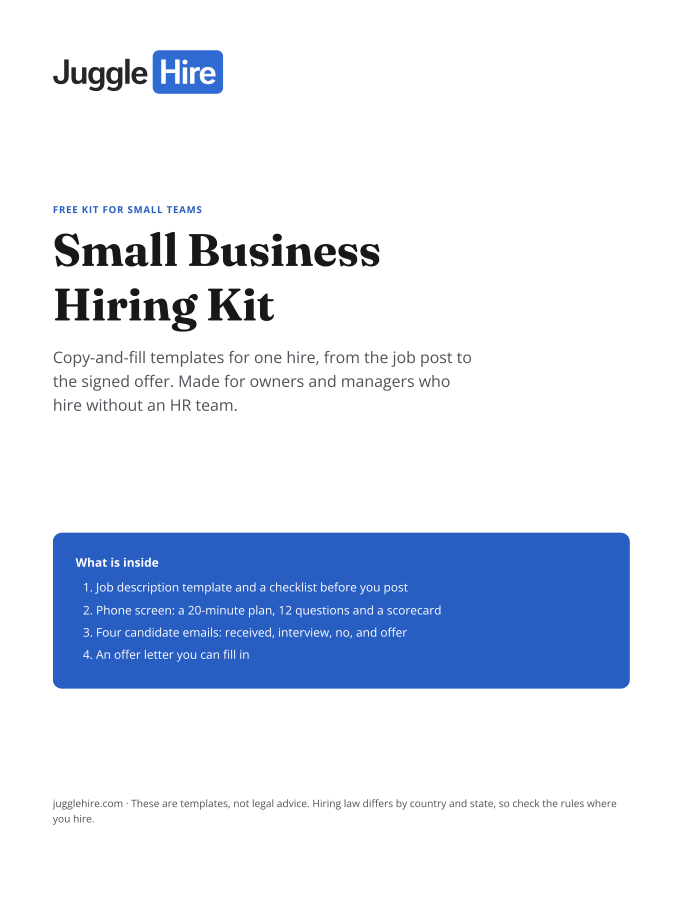
Free download
Get the Small Business Hiring Kit
- Job description template and a checklist before you post
- 20-minute phone screen: 12 questions and a scorecard
- Four candidate emails: received, interview, no, and offer
- An offer letter you can fill in
Free. We email you the kit and three short hiring tips. Unsubscribe any time.

Zakir Hossen
Zakir, founder of JuggleHire - a Google Forms alternative for hiring. Bootstrapped entrepreneur and software engineer with 10+ years coding experience from BD.
Related Posts
Candidate Experience Tools to Improve Your Hiring Journey
The best candidate experience tools for 2026. Improve every touchpoint of the applicant journey, from careers page to offer.
candidate experience toolscandidate experience softwareapplicant experience+5 more
Read more
8 Proven Hiring Strategies for Small Businesses in 2026
Discover 8 proven hiring strategies for small businesses to compete with larger companies.
hiring strategiessmall business hiringrecruitment tips+5 more
Read more