Quick Answer: Small business hiring software is a stack, not one tool: an applicant tracking system (for example JuggleHire, $15/month flat for the team), a job board (Indeed offers a free employer account), a scheduler (Calendly has a free plan, or use your ATS's built-in booking links) and, if you test skills, an assessment tool (TestGorilla has a free plan; paid assessment plans start at $215/month, billed annually). Without paid assessments, most small teams spend roughly $15 a month in total; with them, about $230.
Last Updated: October 20, 2026.
Which guide do you need? This page covers the whole hiring stack. If you only need to choose an applicant tracking system on a budget, read the best affordable ATS for small business. For published ATS prices side by side, see ATS pricing compared.
Small businesses face a hiring paradox: you need great people to compete with larger companies, but you don't have dedicated recruiters, enterprise budgets, or time to figure out complex tools.
The good news? In 2026, there are excellent recruiting tools for small businesses that rival enterprise software at a fraction of the cost. The right stack can help you post jobs, screen candidates, schedule interviews, and make offers—all without hiring a full-time recruiter.
This guide covers the 15 best recruiting tools across every category, with honest pricing and recommendations based on your budget and hiring volume.
TL;DR: Start with JuggleHire ($15/month) as your ATS foundation, add Indeed or LinkedIn for job posting, and use Calendly for scheduling. This three-tool stack covers the basics of small business recruiting for under $100/month. For a full ATS software comparison, see our dedicated guide.
#What Is Hiring Software for Small Business?
Hiring software for small business is any tool that manages part of the recruitment process — from posting a job to sending the offer. It is an umbrella term, which is why comparing options gets confusing. It covers:
- Applicant tracking systems (ATS) — track candidates through your pipeline
- Job posting tools — push a role to multiple job boards at once
- Scheduling tools — book interviews without the email ping-pong
- Assessment tools — test skills before you interview
- Video interview tools — screen remote candidates
Small businesses rarely need all five as separate products. Most need one solid ATS that covers the basics, plus a free job board and a scheduler. That is why this guide is organised as a stack rather than a single-product list — you pick one tool per row, not fifteen tools.
The gap small businesses run into is real: enterprise platforms cost too much and do too much, while free tools stop short exactly where hiring gets hard. Everything below is filtered for that middle ground.
#The Essential Small Business Recruiting Stack
Before diving into individual tools, here's how they fit together:
| Category | What It Does | Budget Option | Premium Option |
|---|---|---|---|
| ATS | Tracks candidates, manages pipeline | JuggleHire ($15) | Workable ($299) |
| Job boards | Posts jobs, attracts applicants | Indeed (free account) | LinkedIn Jobs (paid) |
| Scheduling | Books interviews | Calendly (free) | Built-in ATS scheduling |
| Assessments | Tests skills | TestGorilla (free plan) | TestGorilla Core (from $215/mo, billed annually) |
| Background checks | Verifies candidates | Checkr (from $29.99/report) | GoodHire |
| Video interviews | Remote interviewing | Zoom (free) | BreezyHR (built-in) |
Minimum viable stack: ATS + 1 job board + scheduling = ~$15/month
A $15/month ATS costs less than one week of most job-board sponsorships, so it usually pays for itself if it saves you a few hours on each hire.
#Applicant Tracking Systems (ATS)
Your ATS is the hub of your recruiting process. It's where you'll spend 80% of your hiring time.
#1. JuggleHire — Best Overall for Small Business

JuggleHire is purpose-built for small businesses. It has everything you need, nothing you don't, and costs less than a team lunch.
Why It's Best for Small Business:
- 10-minute setup: No training needed
- Visual Kanban board: See all candidates at a glance
- Team collaboration: Share notes, feedback, evaluations
- Career page builder: Professional careers site included
- Email templates: Stop rewriting the same messages
- AI tools: Generate job descriptions and screening questions in seconds
Pricing:
- Starter: $15/month (3 open jobs, up to 200 applicants per job, 5 team members, 10 AI job posts a month)
- Unlimited: $49/month (unlimited open jobs and team members, automations, 50 AI job posts a month)
Best For: Recruitment teams and lean agencies handling ongoing hiring.
One distinction worth making here: this stack assumes you're hiring for your own company. If you run an agency placing candidates with client companies, the buying criteria shift — you're weighing cross-job candidate search and submittal workflow, and per-recruiter pricing becomes the thing that quietly doubles your bill as you grow. Our buyer's guide to agency recruitment software compares that market on both.
#2. JazzHR — Best Budget ATS
JazzHR offers full ATS functionality at lower prices than most competitors.
Key Features:
- Job posting to multiple boards
- Candidate pipeline management
- Interview scheduling
- Basic reporting
Pricing:
- Hero: $75/month (3 jobs)
- Plus: $269/month (unlimited)
Best For: Budget-conscious teams who need core ATS features.
Related: JazzHR Alternatives
#3. Workable — Best for Growing Companies
Workable adds AI-powered sourcing and more automation for companies with higher hiring volume.
Key Features:
- AI candidate sourcing from 200+ sites
- One-click posting to 200+ job boards
- Built-in video interviews
- Advanced analytics
Pricing:
- Starter: $149/month (2 jobs)
- Standard: $299/month (unlimited)
Best For: Companies hiring 20+ people per year who want AI assistance.
Related: Workable Alternatives
#Job Posting Platforms
You need to get your jobs in front of candidates. These platforms do that.
Job boards only work when the people you want are actively looking. Agency recruiters mostly can't count on that — confidential searches and niche skill sets need outbound sourcing instead, which is a different toolset with very different pricing. We compared the sourcing and placement tools built for agencies, from LinkedIn Recruiter down to the flat-priced options.
#4. Indeed — Best Free Job Board
Indeed is one of the biggest job sites. A free employer account gets you started, and you can pay to sponsor posts for more visibility.
Why It Works:
- Free employer account: set up your dashboard at no cost
- Massive reach: most candidates already search here
- Sponsored posts: pay for more visibility
Pricing:
- Employer account: free
- Sponsored posts: you set a budget per job
Best For: Any small business. Start with free posts, sponsor if you need more applicants.
#5. LinkedIn Jobs — Best for Professional Roles
LinkedIn is essential for professional, management, and specialized roles.
Why It Works:
- Professional audience: managers and specialists are active here
- Targeted reach: Show jobs to qualified candidates
- Easy apply: Candidates apply with LinkedIn profile
- Company page: Build employer brand
Pricing:
- Free posting (limited visibility)
- Promoted posts: you set a budget per job
Best For: Professional roles, B2B companies, any position requiring experience.
#6. ZipRecruiter — Best for Fast Hiring
ZipRecruiter uses AI to match candidates to your jobs and actively invites them to apply.
Why It Works:
- AI matching: Automatically finds relevant candidates
- Invite to apply: Proactive outreach
- Distribution: Posts to 100+ job boards
- Mobile app: Manage hiring on the go
Pricing:
- Starting at $299/month (unlimited jobs)
- Pay-per-applicant options available
Best For: Companies that need to hire quickly and have budget for paid distribution.
#7. Wellfound (AngelList Talent) — Best for Startups
Wellfound is where startup-minded candidates look for opportunities.
Why It Works:
- Startup focus: Candidates want to work at startups
- Equity-friendly: Easy to post equity compensation
- Free basic posting: $0 to start
- Investor visibility: VCs see your hiring activity
Pricing:
- Free basic posting
- Premium: $249/month
Best For: Funded startups hiring for tech and business roles.
#Interview Scheduling Tools
Back-and-forth scheduling emails waste hours every week. These tools eliminate that.
#8. Calendly — Best Free Scheduling
Calendly lets candidates book interview slots directly on your calendar.
Why It Works:
- Self-service booking: Candidates pick available times
- Calendar integration: Syncs with Google, Outlook, etc.
- Timezone handling: Automatic conversion
- Reminders: Reduces no-shows
Pricing:
- Free: 1 calendar, basic features
- Standard: $12/user/month
- Teams: $20/user/month
Best For: Any company that schedules interviews. The free tier is enough for most.
#9. Cal.com — Best Open-Source Alternative
Cal.com is like Calendly but open-source with more flexibility.
Why It Works:
- Open source: Self-host for free if you want
- Generous free tier: More features than Calendly free
- Customizable: Brand it to match your company
- Integrations: Connects with popular tools
Pricing:
- Free tier available
- Teams: $15/user/month
Best For: Tech companies who want more control or have developer resources.
#Skills Assessment Tools
Resumes don't prove skills. These tools do.
#10. TestGorilla — Best Skills Testing
TestGorilla offers 300+ pre-built tests to evaluate candidates objectively.
Why It Works:
- Pre-built tests: Coding, language, cognitive, role-specific
- Anti-cheating: Webcam, screen monitoring
- Custom tests: Create your own assessments
- Candidate ranking: Automatic scoring
Pricing (testgorilla.com/pricing, October 2026):
- Free: 10 credits per month
- Core: from $215/month, billed annually
- Plus: from $520/month, billed annually
Best For: Companies hiring for roles where skills matter more than credentials.
#11. Codility — Best for Technical Hiring
Codility specializes in assessing developers and technical roles.
Why It Works:
- Real coding challenges: Actual programming, not multiple choice
- 40+ languages: Test in any tech stack
- Plagiarism detection: Ensures honest submissions
- Live interviews: Pair programming mode
Pricing:
- Starting at $500/month
- Custom enterprise pricing
Best For: Companies hiring developers where coding skills are critical.
#12. Google Forms — Free Screening Questions
Google Forms can run a short, free screening quiz before you invite someone to interview.
Why It Works:
- Completely free: $0 cost
- Easy to create: No learning curve
- Automatic collection: Responses in Sheets
- Customizable: Any question type
Best For: Basic screening questions, culture fit surveys, simple knowledge tests.
#Video Interview Tools
Remote hiring requires video. These tools make it seamless.
#13. Zoom — Best Free Video Interviews
You probably already have Zoom. It works fine for interviews.
Why It Works:
- Universal familiarity: Candidates know how to use it
- Reliable quality: Works well on most connections
- Recording: Save interviews for review
- Free tier: 40-minute meetings
Pricing:
- Free: 40-minute limit
- Pro: $15.99/user/month (unlimited)
Best For: Companies already using Zoom who don't need dedicated interview software.
#14. BreezyHR — Best Built-In Video
BreezyHR is an ATS with video interviews built in—no separate tool needed.
Why It Works:
- All-in-one: ATS + video in one platform
- Live + async: Both interview types
- Candidate-friendly: Easy for applicants
- Cost savings: No separate video tool
Pricing:
- Free tier (1 active job)
- Startup: $157/month, billed annually
Best For: Companies wanting ATS + video without multiple subscriptions.
#Background Check Services
Verify candidates before making offers. These services make it easy.
#15. Checkr — Best Background Checks
Checkr provides fast, compliant background checks used by Uber, Lyft, and thousands of small businesses.
Why It Works:
- Fast results: Most in 24-72 hours
- Compliant: FCRA, state law compliant
- ATS integrations: Works with popular tools
- Transparent pricing: Know cost upfront
Pricing:
- Basic: from $29.99 per report
- Essential: from $59.99 per report
- Court and database fees can add to this
- Pro: $150/check (+ professional licenses)
Best For: Any company that needs background verification.
#How to Build Your Recruiting Stack
#For Bootstrapped Companies (~$15/month)
| Tool | Purpose | Cost |
|---|---|---|
| JuggleHire Starter | ATS | $15 |
| Indeed Free | Job posting | $0 |
| Calendly Free | Scheduling | $0 |
| Zoom Free | Video | $0 |
| Total | $15/month |
#For Seed-Stage Startups (~$230/month plus job posts)
| Tool | Purpose | Cost |
|---|---|---|
| JuggleHire Starter | ATS | $15 |
| Indeed + LinkedIn sponsored posts | Job posting | Your budget |
| Calendly Free | Scheduling | $0 |
| TestGorilla Core (from $215/mo billed annually) | Assessments | $215 |
| Total | ~$230/month + job post budget |
#For Growing Companies (~$550/month plus job posts)
| Tool | Purpose | Cost |
|---|---|---|
| Workable Standard | ATS | $299 |
| LinkedIn sponsored posts | Job posting | Your budget |
| Calendly Standard | Scheduling | $10 per seat/mo |
| TestGorilla (paid) | Assessments | From $215 |
| Checkr (as needed) | Background | From $29.99/report |
| Total | ~$550/month + job posts and checks |
#How to Choose Recruiting Tools
#Step 1: Start with ATS
Your ATS is the foundation. Get this right first. JuggleHire at $15/month is the best starting point for most small businesses.
#Step 2: Add Job Distribution
Start with free Indeed posting. Add LinkedIn for professional roles. Sponsor posts only if you're not getting enough applicants.
#Step 3: Automate Scheduling
Calendly free tier handles most small business needs. Upgrade only if you need team features.
#Step 4: Add Assessments (If Needed)
If you're hiring for skills-based roles (developers, writers, designers), add TestGorilla. Otherwise, a simple Google Form or our interview questions generator can help you prepare structured evaluations quickly.
#Step 5: Video + Background (As Needed)
Use Zoom for video unless your ATS has it built in. Add background checks only for roles that require them.
#Common Mistakes to Avoid
#1. Overbuying Features
Don't pay for enterprise features you'll never use. A $299/month ATS isn't dramatically better than a $15/month one for small businesses.
#2. Too Many Disconnected Tools
Each tool adds friction. Prefer integrated solutions or tools that work together.
#3. Skipping the ATS
Running hiring from your inbox works until it doesn't, usually when you lose a great candidate.
#4. Ignoring Candidate Experience
Free job boards and basic tools are fine, but make sure the application process is smooth. Test it yourself. A professional career page and well-written job descriptions make a big difference in how candidates perceive your company.
#5. Not Using Free Trials
Every tool on this list offers a free trial or free tier. Test before you buy.
#Switching From Indeed Alone, LinkedIn Alone, or Another ATS
Most small teams that switch already hire through Indeed or LinkedIn and read applicants in each site's inbox. Some are leaving another ATS because of price. Either way the move is small.
What to bring across: active candidates, your job descriptions, your email templates, and the interview steps you already follow.
What to leave behind: cold candidates from old roles (start clean) and expired job posts.
A realistic first week:
| Day | Task | |---
#Frequently Asked Questions
#What is the best all-in-one hiring tool for small businesses?
JuggleHire is the best all-in-one option for small businesses, combining job posting, candidate tracking, interview scheduling, team collaboration, and a career page builder for $15/month. For companies that also need video interviews built in, BreezyHR at $157/month is a good alternative. Check our ATS software comparison for a deeper breakdown.
#What are the best free recruiting tools for small businesses?
The best free recruiting tools include an Indeed employer account, Calendly's free plan (scheduling), Google Forms (basic screening questions), and Zoom's free plan (video interviews). For ATS, Breezy HR has a free plan (1 open job). However, most small businesses get better results investing $15/month in a proper ATS like JuggleHire — the time savings alone make it worth it.
#How much should a small business budget for recruiting tools?
Most small businesses can run a professional hiring process for about $15/month, or about $230 with paid assessments. A basic stack (JuggleHire + Indeed free + Calendly free) costs just $15/month. Add sponsored job posts (you set the budget) and skills assessments (TestGorilla paid assessment plans start at $215/month, billed annually) as your hiring volume grows.
#Can a small business recruit without a dedicated recruiter?
Absolutely. Most small businesses hire without dedicated recruiters by using the right tools. A simple stack of JuggleHire (ATS), Indeed (job posting), and Calendly (scheduling) automates most of the manual work. You can also use AI-powered tools to handle resume screening and generate job descriptions automatically.
#Do I need an ATS if I only hire a few people per year?
If you're hiring 5+ people per year or multiple team members are involved in hiring, yes. Even for occasional hiring, an ATS keeps every candidate and every reply in one place.
#What's better: one integrated platform or best-of-breed tools?
For small businesses, start with an integrated ATS that covers the basics. Add specialized tools only when you have specific needs the ATS doesn't meet.
#Conclusion
Small business recruiting doesn't require enterprise budgets or dedicated recruiters. The right tools—starting with a solid ATS and adding job boards, scheduling, and assessments as needed—let you hire like a much larger company.
Start here:
- JuggleHire for ATS ($15/month)
- Indeed for job posting (free)
- Calendly for scheduling (free)
This three-tool stack covers 90% of small business recruiting needs for under $50/month.
Ready to upgrade your hiring? Try JuggleHire free for 14 days.
#Related Resources
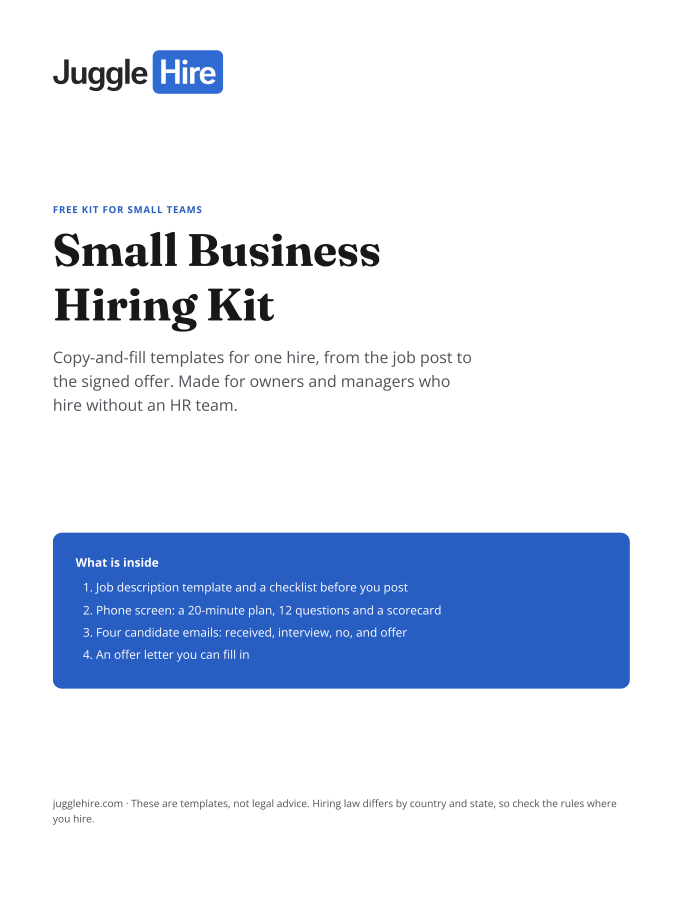
Free download
Get the Small Business Hiring Kit
- Job description template and a checklist before you post
- 20-minute phone screen: 12 questions and a scorecard
- Four candidate emails: received, interview, no, and offer
- An offer letter you can fill in
Free. We email you the kit and three short hiring tips. Unsubscribe any time.
Tagged with:
best recruiting tools for small businesseshiring software for small businesssmall business hiring softwarerecruiting software for small businesssmall business recruiting toolsrecruitment software for small businesssmall business hiring toolssmb recruiting toolsrecruiting tools for startupsaffordable recruiting software

Zakir Hossen
Zakir, founder of JuggleHire - a Google Forms alternative for hiring. Bootstrapped entrepreneur and software engineer with 10+ years coding experience from BD.
Related Posts
ATS for Staffing Agency: How to Choose One in 2026
A buyer's checklist for picking an ATS for a staffing agency — what to look for, and where JuggleHire fits.
ats for staffing agencystaffing agency softwareapplicant tracking system
Read more
ATS for Staffing Agencies: The Real Monthly Cost for a 3-Recruiter Team (2026)
What a 3-recruiter staffing agency actually pays for an ATS — verified per-seat rates from $237 to $597/mo, and the flat-price alternative at $15/mo.
ats pricing for staffing agenciesstaffing agency software costper-seat vs flat-rate ats+1 more
Read more