Quick Answer: An interview scorecard is a structured form that rates every candidate on the same criteria — skills, experience, and culture fit — using a 1–5 scale. It removes gut-feel bias, makes group decisions faster, and improves quality of hire by up to 35%. Build one in minutes with the Interview Scorecard Builder.
Last Updated: April 18, 2026
Gut feelings are terrible hiring tools. Research consistently shows that unstructured interviews are only slightly better than flipping a coin when predicting job performance. If you want to hire the right people consistently, you need a structured way to evaluate every candidate against the same criteria.
That is where interview scorecards come in. This guide covers everything you need to build, implement, and optimize scorecards that lead to better, faster, and fairer hiring decisions.
Quick Tool: Want a ready-to-use scorecard? Try our free Interview Scorecard Builder to create customized evaluation forms for any role in seconds.
#What Is an Interview Scorecard?
An interview scorecard is a standardized evaluation form that interviewers use to rate candidates on predefined criteria during or immediately after an interview. Instead of relying on vague impressions like "they seemed great" or "something felt off," scorecards force interviewers to assess specific competencies with consistent rating scales.
A typical scorecard includes:
- A list of competencies or skills being evaluated
- A numerical rating scale for each competency
- Space for evidence-based notes
- An overall recommendation
Think of it as a rubric for interviews. Just as teachers use rubrics to grade essays fairly, hiring teams use scorecards to evaluate candidates objectively.
#Why Use Interview Scorecards?
If your team is still debriefing interviews with comments like "I liked them" or "they weren't a culture fit," you are making expensive mistakes. Here is why scorecards matter.
#Consistency Across Interviewers
When five interviewers evaluate a candidate, you want their assessments to be comparable. Scorecards ensure everyone rates the same competencies, making it easy to spot where opinions align and where they diverge.
#Reduced Bias
Unstructured interviews are a breeding ground for bias. Interviewers gravitate toward candidates who look, sound, or think like them. Scorecards redirect attention to job-relevant criteria, reducing the impact of affinity bias, halo effects, and first impressions.
#Faster Hiring Decisions
Post-interview debriefs drag on when everyone has different opinions about different things. With scorecards, you can quickly aggregate scores, identify strong candidates, and move forward without endless debate.
#Better Prediction of Job Performance
Studies from organizational psychology consistently show that structured interviews (which scorecards enable) predict job performance two to three times better than unstructured ones. That translates directly to fewer bad hires.
#Legal Protection
If a rejected candidate ever questions your hiring decision, documented scorecards provide evidence that your evaluation was based on job-related criteria, not protected characteristics. This documentation is your first line of defense.
#Improved Interviewer Accountability
When interviewers know they need to score specific competencies with supporting evidence, they prepare better questions and listen more carefully. The scorecard itself raises the quality of the interview.
#Key Components of an Effective Scorecard
Not all scorecards are created equal. A good one has these elements.
#1. Role-Specific Competencies
List 5 to 8 competencies that are genuinely predictive of success in the role. More than 8 becomes unwieldy and dilutes focus. Each competency should be clearly defined so every interviewer understands what "strong communication skills" actually means in context.
#2. Rating Scale with Defined Anchors
Each score level should have a behavioral description. Do not just use numbers; define what a 1, 3, or 5 looks like for each competency. This is what separates useful scorecards from checkbox exercises.
#3. Evidence/Notes Section
For every rating, interviewers should write specific examples or quotes from the candidate. "Gave a 4 on problem-solving" is worthless without context. "Described debugging a production outage by systematically isolating services, identified root cause in 20 minutes" is useful.
#4. Knockout Criteria
Some things are non-negotiable. Mark must-have competencies clearly so a low score on any of them flags the candidate regardless of other scores.
#5. Overall Recommendation
Include a final section where the interviewer gives a holistic recommendation: Strong Hire, Hire, No Hire, or Strong No Hire. This captures their overall judgment alongside the granular scores.
#6. Role and Interview Stage
Label which interview stage the scorecard is for (phone screen, technical, culture, final) and which competencies that stage is designed to assess. Not every interviewer should evaluate every competency.
#How to Choose Evaluation Criteria by Role Type
The criteria on your scorecard should map directly to what makes someone successful in the specific role. Here is a starting framework.
| Role Type | Core Competencies | Nice-to-Have Competencies |
|---|---|---|
| Software Engineer | Problem-solving, code quality, system design, debugging, technical communication | Open source contributions, mentorship ability |
| Sales Representative | Objection handling, discovery skills, closing ability, product knowledge, resilience | CRM proficiency, industry network |
| Product Manager | Prioritization, stakeholder management, data-driven thinking, user empathy, communication | Technical background, design sensibility |
| Customer Support | Empathy, problem resolution, product knowledge, written communication, patience | Multilingual, technical troubleshooting |
| Marketing Manager | Campaign strategy, analytics, creativity, channel expertise, budget management | Copywriting, design tools proficiency |
| Operations/Admin | Organization, attention to detail, process improvement, multitasking, tool proficiency | Project management certification, vendor management |
For each role, ask yourself: "If a candidate scores high on these 5-6 things, will they succeed?" If the answer is yes, you have the right criteria. If not, revisit.
You can generate role-specific criteria instantly with the Interview Scorecard Builder instead of building from scratch.
#Rating Scale Options: Which One Should You Use?
There is no universally "correct" scale. Here are the most common options with their trade-offs.
#1-5 Scale (Most Common)
| Score | Meaning |
|---|---|
| 1 | Does not meet requirements |
| 2 | Partially meets requirements |
| 3 | Meets requirements |
| 4 | Exceeds requirements |
| 5 | Significantly exceeds requirements |
Pros: Familiar, provides good granularity, easy to average and compare. Cons: Interviewers tend to cluster around 3-4 (central tendency bias). The middle score can become a "safe" default.
#1-4 Scale (No Middle Ground)
| Score | Meaning |
|---|---|
| 1 | Poor - significant gaps |
| 2 | Below average - some concerns |
| 3 | Good - meets expectations |
| 4 | Excellent - stands out |
Pros: Forces a decision. No neutral middle ground eliminates fence-sitting. Creates clearer signal. Cons: Less granularity. Some interviewers feel forced into a positive or negative bucket.
#Thumbs Up / Thumbs Down / Neutral
Pros: Dead simple. Very fast to complete. Works well for quick phone screens. Cons: Too simplistic for final-round evaluations. Hard to differentiate between "good" and "great" candidates.
#Recommendation for Most Teams
Start with a 1-4 scale for core evaluations. It forces meaningful differentiation without overwhelming interviewers. Use clear behavioral anchors for each level. Reserve thumbs-up/down for initial phone screens where you just need a quick pass/fail signal.
#Sample Interview Scorecard Template
Here is a template you can adapt for your team.
Candidate: ___________________ Role: ___________________ Interviewer: ___________________ Interview Stage: ___________________ Date: ___________________
Competency Ratings:
| Competency | 1 (Poor) | 2 (Below Avg) | 3 (Good) | 4 (Excellent) | Notes/Evidence |
|---|---|---|---|---|---|
| [Competency 1] | [ ] | [ ] | [ ] | [ ] | |
| [Competency 2] | [ ] | [ ] | [ ] | [ ] | |
| [Competency 3] | [ ] | [ ] | [ ] | [ ] | |
| [Competency 4] | [ ] | [ ] | [ ] | [ ] | |
| [Competency 5] | [ ] | [ ] | [ ] | [ ] | |
| [Competency 6] | [ ] | [ ] | [ ] | [ ] |
Knockout Criteria Met? Yes / No If No, explain: ___________________
Overall Recommendation:
- [ ] Strong Hire
- [ ] Hire
- [ ] No Hire
- [ ] Strong No Hire
Key Strengths:
Key Concerns:
Additional Comments:
Want a pre-filled version tailored to your specific role? The Interview Scorecard Builder generates complete scorecards with role-appropriate competencies and behavioral anchors in seconds.
#How to Train Interviewers to Use Scorecards
Rolling out scorecards without training is a recipe for inconsistent data. Here is how to get your team on board.
#Set Expectations Upfront
Before interviews begin, walk interviewers through the scorecard. Explain what each competency means, what the rating levels look like, and why evidence-based notes matter. A 15-minute briefing saves hours of confused debriefs.
#Practice with Mock Evaluations
Have your interview panel watch a recorded interview (or a role-play) and independently fill out the scorecard. Then compare results. This exposes misalignment early, for example, one person scores communication as a 4 while another gives it a 2 for the same candidate. Discuss the gap and calibrate.
#Emphasize Evidence Over Gut Feeling
Train interviewers to write specific observations, not interpretations. "Candidate described leading a cross-functional project with 5 stakeholders and delivered on time" is evidence. "Seemed like a good leader" is opinion. The best scores come from observable behavior.
#Score Immediately After the Interview
Require interviewers to complete their scorecard within 30 minutes of the interview ending. Memory fades fast, and delayed scoring is less accurate and more influenced by whatever happened most recently (recency bias).
#Keep Scorecards Independent
Interviewers should not discuss candidates or share scores before submitting their own evaluation. This prevents anchoring bias, where the first opinion shared influences everyone else.
#Calibration Sessions: Getting Alignment
Even with training, interviewers will naturally drift in how they use the scale. Some are generous; others are tough. Calibration sessions fix this.
#What Is a Calibration Session?
A calibration session is a meeting where the hiring team reviews completed scorecards together, discusses discrepancies, and aligns on standards. It is not about changing scores retroactively, but about building shared understanding for future evaluations.
#How to Run One
- Pick 3-4 recent candidates who generated mixed reviews.
- Display the scorecards side by side (anonymize the interviewers if your culture needs it).
- Discuss the biggest gaps. If one interviewer gave a 1 on problem-solving and another gave a 4, both should explain their reasoning with specific evidence.
- Agree on what "good" looks like. Document examples of what a 1, 2, 3, and 4 look like for each key competency.
- Update your scorecard anchors based on the discussion.
#How Often to Calibrate
Run calibration sessions quarterly if you are hiring regularly, or after every 10-15 interviews for teams that hire less frequently. The first few sessions will surface the biggest misalignments. Over time, your team will naturally converge.
#Common Scorecard Mistakes
Avoid these pitfalls that undermine scorecard effectiveness.
#Too Many Competencies
Evaluating 15 things per interview leads to superficial assessments across the board. Stick to 5-8 competencies per scorecard. If you need to assess more, split them across different interview stages.
#Vague Competency Definitions
"Communication skills" means different things to different people. Define each competency specifically: "Explains technical concepts clearly to non-technical stakeholders" is actionable. "Good communicator" is not.
#No Behavioral Anchors
A scale without descriptions is just a number. If interviewers do not know what separates a 2 from a 3, they will default to their personal interpretation. Always define each level.
#Sharing Scores Before Debrief
The moment one interviewer says "I loved them," everyone else's assessment shifts. Keep scores private until the debrief meeting to get genuine, independent evaluations.
#Treating the Scorecard as the Only Input
Scorecards should inform decisions, not replace judgment entirely. Use them as structured data alongside work samples, references, and other signals. A candidate who scores a 3.2 average might still be a better hire than a 3.5 candidate depending on the context.
#Ignoring the Data Over Time
Track your scorecard data. Which competencies actually predict on-the-job success at your company? Which ones do not correlate at all? Review this annually and refine your criteria based on real outcomes.
#Digital vs. Paper Scorecards
#Paper Scorecards
When they work: Small teams, low hiring volume, in-person interviews where you want interviewers fully present without screens.
Drawbacks: Hard to aggregate data, easy to lose, impossible to analyze trends over time, no collaboration features.
#Digital Scorecards
When they work: Any team that hires more than a few people per quarter or has remote interviewers.
Advantages:
- Automatic score aggregation and averaging
- Historical data for calibration and trend analysis
- Easy sharing across distributed teams
- Integration with your ATS pipeline
- Standardized templates you can reuse across roles
#The Verdict
Unless your team is very small and only hires occasionally, go digital. The ability to track data over time and improve your process makes it worth it. Tools like JuggleHire make it easy to build structured evaluations directly into your hiring pipeline.
#Build Your Scorecard Now
You have the framework. Now put it into practice. The biggest mistake hiring teams make is knowing they should use scorecards but never getting around to creating one.
Start with these steps:
- Pick your next open role.
- Identify 5-6 core competencies using the role-type table above.
- Choose a rating scale (we recommend 1-4 for most teams).
- Write behavioral anchors for each level.
- Brief your interviewers before the first interview.
- Debrief using the scorecards as your shared framework.
Or skip the manual work: our Interview Scorecard Builder generates a complete, role-specific scorecard with competencies, behavioral anchors, and rating scales in seconds. It is free, and you can customize and export it immediately.
#Related Resources
- Interview Scorecard Builder - Free tool to create evaluation forms
- Interview Tips for Hiring Managers
- Best Pre-Screening Questions by Role
- How to Reduce Recruitment Bias
Ready to structure your entire hiring process, not just interviews? JuggleHire helps small teams manage job postings, candidate pipelines, evaluations, and team collaboration in one simple platform. Start free today.
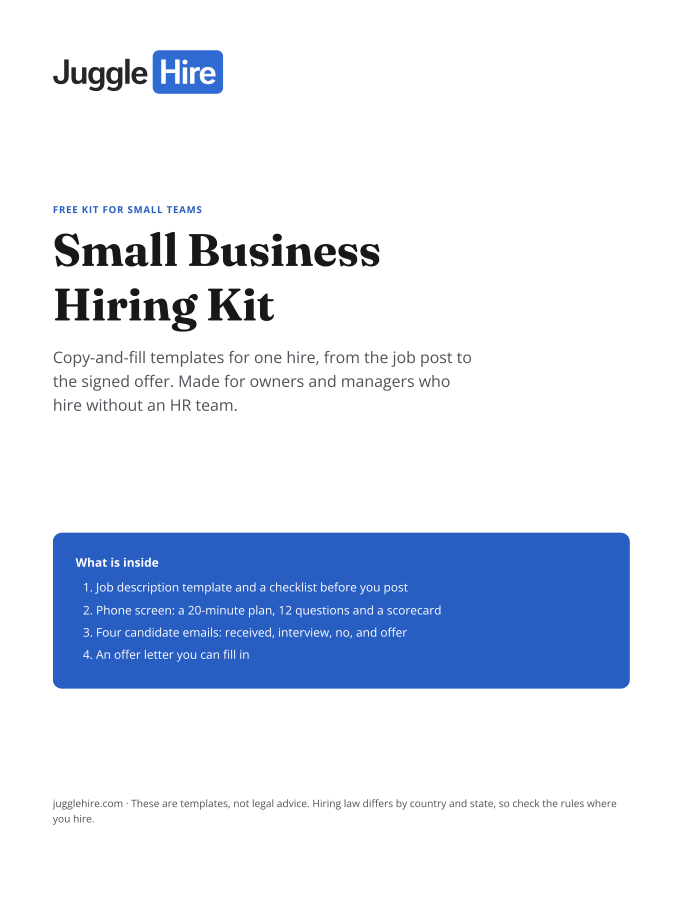
Free download
Get the Small Business Hiring Kit
- Job description template and a checklist before you post
- 20-minute phone screen: 12 questions and a scorecard
- Four candidate emails: received, interview, no, and offer
- An offer letter you can fill in
Free. We email you the kit and three short hiring tips. Unsubscribe any time.
Tagged with:

Zakir Hossen
Zakir, founder of JuggleHire - a Google Forms alternative for hiring. Bootstrapped entrepreneur and software engineer with 10+ years coding experience from BD.
Related Posts
Candidate Experience Tools to Improve Your Hiring Journey
The best candidate experience tools for 2026. Improve every touchpoint of the applicant journey, from careers page to offer.
candidate experience toolscandidate experience softwareapplicant experience+5 more
Read more
8 Proven Hiring Strategies for Small Businesses in 2026
Discover 8 proven hiring strategies for small businesses to compete with larger companies.
hiring strategiessmall business hiringrecruitment tips+5 more
Read more