Quick Answer: Cloud-based recruiting software (a cloud ATS) is hiring software you use in a web browser while the vendor hosts it, so there is nothing to install or maintain. For small teams, JuggleHire ($15/month flat for the whole team) is a low-cost option. Workable (from $299/month) suits growing companies, and Greenhouse or SmartRecruiters suit large ones. The main things to compare are the pricing model (flat or per user), what is included, and how you get your data out.
Last Updated: October 20, 2026. Vendor prices checked on each vendor's own pricing page on October 7, 2026.
Most hiring software sold today is cloud-based. You log in through a browser, the vendor runs the servers, and updates arrive without anyone on your side doing anything. The real differences between cloud ATS tools are price, how they charge as your team grows, and how much of the hiring process they cover.
This guide explores the benefits of cloud-based recruitment software, compares the top 7 platforms for different business sizes, and provides a step-by-step migration plan from legacy systems. Whether you're upgrading from spreadsheets, on-premise software, or Google Forms, you'll find the perfect cloud solution for your hiring needs.
TL;DR: Cloud-based recruitment software gives you access from anywhere, automatic updates and no servers to run. For small businesses, JuggleHire costs $15/month flat for the whole team (Unlimited $49/month adds automations, unlimited open jobs and unlimited users), with no per-user fees. For more options, see our ATS software guide.
#What is Cloud-Based Recruitment Software?
Cloud-based recruitment software (also called cloud ATS or SaaS recruitment tools) is applicant tracking and hiring software hosted on remote servers and accessed through web browsers. Unlike on-premise software installed on local computers, cloud recruitment platforms store all data in secure data centers managed by the software provider.
#Cloud vs On-Premise vs Manual Systems
| Aspect | Cloud-Based | On-Premise | Manual (Spreadsheets) |
|---|---|---|---|
| Access | Anywhere with internet | Office computers only | Anywhere (but limited) |
| Updates | Automatic, included | Manual IT updates required | Manual spreadsheet updates |
| Cost | Monthly subscription | Licence, servers and IT time | Free but time-consuming |
| IT Support | Provider manages everything | In-house IT team required | Self-managed |
| Security | Enterprise-grade encryption | Depends on IT setup | Minimal (file-level only) |
| Scalability | Instant (add users anytime) | Hardware/license limits | No limits but unmanageable |
| Collaboration | Real-time, multi-user | Limited to network | Email attachments only |
| Backup | Automatic | Manual or scheduled | Manual (if at all) |
| Mobile Access | Browser on any device (some vendors add apps) | VPN required | View-only at best |
What if you need to host it yourself? Some companies must keep hiring data on their own servers, for example for data-residency rules or internal security policy. Most cloud ATS vendors do not offer that. JuggleHire is one that does: its full source code is also sold as a self-hosted edition of JuggleHire that you run on your own server.
#Why Cloud-Based Recruitment Software Matters in 2026
The shift to remote and hybrid work made cloud recruitment software essential rather than optional. Here's why companies are migrating:
#1. Remote Hiring Accessibility
The Problem: On-premise ATS requires being in the office or using clunky VPNs. Manual systems mean emailing spreadsheets back and forth.
The Cloud Solution: Access your entire recruitment system from anywhere:
- Home office
- Coffee shop
- While traveling
- During remote interviews
- On mobile devices
Real Impact: Recruiters can review candidates during their commute, hiring managers can provide feedback from home, and executives can check hiring metrics from anywhere. Response times drop from "next business day" to "within hours." This accessibility is especially valuable for remote hiring across multiple time zones.
#2. Automatic Updates and New Features
The Problem: On-premise software requires IT to manually install updates, often delaying access to new features by months. Many companies run outdated versions for years.
The Cloud Solution: Updates happen automatically, usually overnight. You wake up to:
- New features available immediately
- Security patches applied automatically
- Bug fixes without IT involvement
- No downtime or manual updates
Real Impact: You're always using the latest version with newest features, strongest security, and best performance.
#3. Lower Total Cost of Ownership
The Problem: On-premise software looks cheap after the first purchase, but the running costs keep coming:
- Licence fees, often paid up front
- Server hardware and upgrades
- Backups
- IT staff time for updates and security patches
The Cloud Solution: One predictable subscription:
- No upfront licence
- No hardware
- No maintenance work for your team
- Backups and security handled by the vendor
For scale: JuggleHire costs $180 a year on Starter ($15/month) or $588 a year on Unlimited ($49/month), with no setup fee. Check what any vendor charges for add-ons, extra users and annual contracts before you compare totals; our ATS pricing comparison lists published prices for 11 vendors.
#4. Enterprise-Grade Security
The Problem: Small businesses can't afford their own security team. Spreadsheets and résumés in personal inboxes offer almost no protection.
The Cloud Solution: A good vendor handles the basics for you. Ask any cloud ATS vendor for:
- Encryption in transit (HTTPS) and at rest
- An independent security report (such as SOC 2) if your clients require one
- A data processing agreement (DPA) and a list of sub-processors
- Backups and an uptime commitment
- Tools to export and delete candidate data
Real Impact: Candidate data sits in one system with access control, instead of in laptops and inboxes.
#5. Seamless Collaboration for Distributed Teams
The Problem: Hiring managers in different locations struggle to coordinate. Email threads become messy. Version control on spreadsheets is impossible.
The Cloud Solution: Real-time collaboration features:
- Multiple users viewing same candidates simultaneously
- Live updates (no "refresh" needed)
- Comment threads on candidate profiles
- @mentions to notify team members
- Shared scorecards and feedback
- Centralized communication history
Real Impact: A hiring manager in New York can review a candidate, tag the CTO in San Francisco for technical feedback, and the recruiter in London sees updates immediately—all in one platform.
#6. Instant Scalability
The Problem: On-premise systems require purchasing additional licenses, upgrading hardware, and IT setup time. Growing from 5 to 10 recruiters might take weeks and cost thousands.
The Cloud Solution: Add users instantly:
- Click "Add User" in settings
- Send invite email
- They're up and running in minutes
- On per-user plans each new user adds to the bill; on flat plans it costs nothing extra
Real Impact: Scale up during busy hiring seasons, scale down during slow periods. No wasted licenses or capacity.
#7. Powerful Integrations and Ecosystem
The Problem: On-premise software often can't connect to modern tools without paid custom development.
The Cloud Solution: Pre-built integrations with:
- Job Boards: Indeed, LinkedIn, Glassdoor — pair with an AI job description generator to write postings faster
- Email: Gmail, Outlook, Office 365
- Calendars: Google Calendar, Outlook Calendar
- Background Checks: Checkr, Sterling
- Assessments: Codility, HackerRank
- Video Interviews: Zoom, Google Meet
- HR Systems: BambooHR, Workday
- Productivity: Slack, Microsoft Teams
Many cloud ATS offer dozens of ready-made integrations, with no custom development required.
#8. Advanced Analytics and Reporting
The Problem: Manual systems offer no analytics. On-premise reporting requires IT to build custom reports.
The Cloud Solution: Real-time dashboards showing:
- Time-to-hire by role and department
- Source of hire (which job boards work best)
- Candidate pipeline metrics
- Team performance and activity
- Diversity and inclusion metrics
- Cost-per-hire tracking — estimate yours with the recruitment ROI calculator
- Custom reports with drag-and-drop
Real Impact: Data-driven hiring decisions. Identify bottlenecks, optimize job board spend, and prove ROI to executives. Companies that pair cloud analytics with dedicated talent acquisition software see the strongest improvements in quality of hire.
#Cloud-Based Staffing Software: What an Agency Needs That an In-House Team Doesn't
Everything above applies to any hiring team. But if you run a staffing or recruitment agency, "cloud" solves a different set of problems — and creates a different shopping list. An in-house team hires for one employer. An agency sells hiring as a service to many employers at once, usually with recruiters who don't share an office. That changes what cloud-based staffing software has to do.
If you are still setting the agency up, start with our guide on how to start a recruitment agency. If you mainly need to keep candidates warm between roles, compare the best recruitment CRM software.
#1. Multiple Clients, One Pipeline
An in-house ATS assumes one company, one set of departments. Agency work is the opposite: 8–15 open roles across 5 different clients, each with its own process, and the same candidate often fits three of them.
What to check before you buy cloud staffing software:
- Run many roles side by side without one client's pipeline burying another
- Reuse candidates across clients — your database is the asset you keep when a client leaves, not the job posting
- Share a shortlist with a client through a link, instead of emailing a PDF and losing the thread
- See activity per recruiter, so you know who last spoke to a candidate before two people call them the same afternoon
#2. Distributed Recruiters and No Office Server
Most small agencies are 2–8 people working from home, a co-working desk, or a client site. An on-prem server in a room nobody visits is a liability: nobody patches it, and the one person who can restart it is on holiday. Cloud staffing software removes the server entirely — a recruiter onboards in an afternoon with a login, and offboards with a revoked login rather than a laptop you have to chase.
#3. Per-Seat vs Flat Pricing — The Number That Actually Decides It
This is where agency buying diverges hardest from in-house buying. Most agency-focused cloud tools price per recruiter, per month. In-house teams add a seat every year or two. An agency adds a seat every time a desk gets busy — so per-seat pricing quietly taxes the exact growth you're trying to fund.
| Recruiters | Per-seat cloud tool | JuggleHire (flat, per agency) |
|---|---|---|
| 1 | 1 × seat rate | $15/mo (Starter) |
| 3 | 3 × seat rate | $15/mo (Starter covers 5 team members) |
| 8 | 8 × seat rate | $49/mo (Unlimited, unlimited team members) |
JuggleHire is priced flat for the whole agency, never per recruiter: Starter $15/month (3 open jobs, 5 team members, up to 200 applicants per job) and Unlimited $49/month (unlimited open jobs and team members, plus automations). Monthly billing, no free tier, 14-day trial with a card. For verified per-seat rates from the agency-focused vendors, see our breakdown of the best ATS for staffing agencies and the wider CRM for staffing agency comparison.
#4. Holding Candidate Data on Behalf of Clients
An in-house team owns the candidate relationship. An agency holds candidate data and client data, and is answerable to both. The cloud security checklist later in this guide still applies — add these agency-specific items:
- [ ] Data processing agreement (DPA) you can hand to a client who asks
- [ ] Retention settings so CVs from a role you filled two years ago don't sit there forever
- [ ] Right-to-deletion and export you can action in minutes, not a support ticket
- [ ] Role-based access, so a contract recruiter sees their desk and not the whole database
- [ ] Activity log, so you can show who viewed or changed a record
For the US rules that sit around these items (anti-discrimination, pay transparency, background checks, data retention), work through our recruitment agency compliance checklist.
The practical win is that candidate data stops living in personal inboxes and laptop folders across five home offices. It lives in one system you can revoke access to.
#5. What Cloud Doesn't Solve
Being cloud-based says nothing about back-office. Cloud staffing software is usually a recruiting CRM — sourcing, pipeline, submissions, offers. It is not timesheets, not pay-and-bill payroll, and not a VMS.
That distinction decides your shortlist:
- Permanent placement desk — a recruitment CRM is the whole stack. JuggleHire is built for exactly this buyer.
- Temp or contract desk — you need weekly timesheets and payroll on top, which is a different (and more expensive) category. Start with temporary staffing agency software.
JuggleHire has no timesheets, no payroll, and no VMS by design. If you place contractors and pay them weekly, buy the category that does; if you place permanent hires and bill a placement fee, you're paying for back-office you'll never open.
#Top 7 Cloud-Based Recruitment Software Platforms
#1. JuggleHire - Best Value Cloud ATS
Pricing: $15/month (Starter) or $49/month (Unlimited), flat for the whole team Best For: Small teams and agencies (2-50 people) that hire often Deployment: Cloud-based SaaS, used in the browser
JuggleHire is a cloud ATS priced per team, not per user. There is nothing to install: you sign up, post a job and invite your team.
What You Get
- Visual pipeline for every job, with drag-and-drop stages
- One-click AI verdict on each candidate (Interview / Maybe / Skip) with a rank against the other applicants
- Interview scheduling with self-booking links and automatic Google Meet or Zoom links
- Scorecards, notes and ratings shared across the team
- Offer letters with e-signature
- Career page on a jugglehire.com subdomain, plus an embed widget for your own site
- Candidate import from CSV, Google Sheets and bulk PDF résumés on both plans
- Both plans: bulk actions, GDPR tools (export, delete, retention), async video interviews and skills assessments
- Unlimited adds: unlimited open jobs and team members, and automations
Data and Security
- Each customer's data is kept separate from every other customer's
- A standard DPA and a public list of sub-processors
- GDPR tools on every plan
Pros
- Flat price: adding a recruiter or hiring manager costs nothing extra (Starter covers 5 users, Unlimited has no limit)
- AI ranking, scheduling and e-signed offers included on both plans
- Self-serve: start the 14-day trial and set it up yourself
Cons
- No free plan (14-day trial, card required)
- No native iOS or Android app; it runs in the browser
- No SMS, no background-check integration, no custom domain for the career page
- Newer and smaller than the enterprise vendors below
Start a 14-day JuggleHire trial →
#2. Workable - Enterprise Cloud ATS
Pricing: $299/month (Standard), $599 (Premier), $719 (Enterprise), for 1-20 employees Best For: Mid-size to large companies (50-500 employees) Deployment: Cloud-based SaaS
Workable is a mature cloud ATS with powerful features, but pricing reflects enterprise positioning.
Cloud Features
- AI-powered candidate sourcing from the cloud
- 200+ job board integrations
- Video interview platform
- Advanced automation workflows
- People Search sourcing tool
- Mobile apps for iOS and Android
- Real-time collaboration
Pros
- Comprehensive feature set
- Strong AI capabilities
- Excellent integrations
- Reliable cloud platform
- Good customer support
Cons
- Expensive ($299+/month before add-ons)
- Overkill for small businesses
- Texting ($89/month), video interviews ($109/month) and assessments ($59/month) are paid add-ons
- Some features require higher tiers
Best for: Companies with recruiting budget prioritizing advanced features over cost. See our JuggleHire vs Workable comparison for affordable alternative.
#3. Greenhouse - Cloud ATS for Structured Hiring
Pricing: Quote only (no public pricing) Best For: Large companies focused on structured hiring Deployment: Cloud-based SaaS
Greenhouse pioneered structured hiring in the cloud. Premium pricing, premium features.
Cloud Features
- Structured interview kits
- Scorecard-based evaluations
- Diversity and inclusion analytics
- Large integrations marketplace
- Custom workflows
- Advanced reporting
Pros
- Best-in-class for structured hiring
- Extremely customizable
- Strong DEI features
- Excellent integration ecosystem
Cons
- Very expensive
- Complex setup (months, not days)
- Requires dedicated admin
- Overkill for most small businesses
Best for: Large companies (200+ employees) with complex hiring processes and budget for premium tools.
#4. Lever - Cloud ATS for Agencies
Pricing: Quote only (no public pricing) Best For: Recruiting agencies, high-volume hiring Deployment: Cloud-based SaaS
Lever combines ATS with CRM features in the cloud—powerful for agencies managing multiple clients.
Cloud Features
- CRM for candidate relationship management
- Pipeline management
- Nurture campaigns
- Advanced sourcing
- Client/requisition management
- Chrome extension for sourcing
Pros
- Excellent for agencies
- Strong sourcing features
- Good Chrome integration
- Solid mobile apps
Cons
- Expensive
- Complex for simple hiring needs
- Some features require training
- Annual contracts standard
Best for: Recruiting agencies or companies with dedicated sourcing teams.
#5. BambooHR - All-in-One Cloud HR + ATS
Pricing: $10 / $17 / $25 per employee per month (Core / Pro / Elite); a flat rate from $250/month for companies with 25 or fewer employees Best For: Companies wanting HR + Recruiting in one cloud platform Deployment: Cloud-based SaaS
BambooHR is primarily an HRIS (employee management). Every plan includes an applicant tracking system, with a cap on open jobs: 5 on Core, 25 on Pro and 50 on Elite.
Cloud Features
- Integrated with employee onboarding
- Applicant tracking
- Interview scheduling
- Career site builder
- Basic automation
- Employee database integration
Pros
- Seamless hiring-to-onboarding flow
- One platform for HR + recruiting
- Clean, user-friendly interface
- Good mobile app
Cons
- ATS features less robust than dedicated solutions
- Expensive combined pricing
- Must buy full HRIS to get ATS
- Some features limited compared to pure ATS
Best for: Companies wanting one cloud platform for all HR needs. See JuggleHire vs BambooHR for focused ATS alternative, or browse our full list of BambooHR alternatives.
#6. SmartRecruiters - Enterprise Cloud Platform
Pricing: Essential starts at $14,995; higher tiers are quote only Best For: Large enterprises (500+ employees) Deployment: Cloud-based SaaS
SmartRecruiters is a cloud-first enterprise platform with marketplace for add-ons.
Cloud Features
- Marketplace with 600+ apps/integrations
- Multi-language support (40+ languages)
- Global compliance tools
- Advanced automation
- AI screening
- Employer branding tools
Pros
- Massive integration marketplace
- Great for global companies
- Strong employer branding features
- Scales to thousands of users
Cons
- Enterprise pricing (very expensive)
- Complex implementation
- Requires significant training
- Many features are paid add-ons
Best for: Global enterprises with thousands of employees and complex needs.
#7. Zoho Recruit - Cloud ATS for Zoho Ecosystem
Pricing: Free for 1 recruiter; $25 or $50 per recruiter/month billed annually Best For: Companies already using Zoho products Deployment: Cloud-based SaaS
Zoho Recruit is a cloud ATS that integrates seamlessly with Zoho's 45+ cloud business apps.
Cloud Features
- Cloud-based candidate database
- Resume parsing
- Social recruiting
- Email sync
- Reporting and analytics
- Zoho ecosystem integrations
Pros
- Free tier available (1 user)
- Excellent Zoho integrations
- Affordable paid tiers
- Mature cloud platform
Cons
- UI feels dated
- Can be complex for simple needs
- Best value only if using other Zoho products
- Limited third-party integrations
Best for: Businesses already invested in Zoho ecosystem (CRM, Books, etc.).
Freshteam used to be on this list. Freshworks discontinued it in 2026, so we removed it.
#Cloud ATS Comparison Table
| Cloud ATS | Starting Price | Pricing Model | Best For | Key Differentiator |
|---|---|---|---|---|
| JuggleHire | $15/month | Flat per team | Small teams (2-50) | Flat price, AI ranking included |
| Workable | $299/month | Flat per plan (by company size) | Mid-size (50-500) | AI sourcing |
| Greenhouse | Quote only | Quote | Large (200+) | Structured hiring |
| Lever | Quote only | Quote | Agencies, high volume | ATS + CRM combo |
| BambooHR | $10/employee/month | Per employee | HR + ATS combo | All-in-one HR |
| SmartRecruiters | From $14,995 | Quote above entry | Enterprise (500+) | Global, marketplace |
| Zoho Recruit | Free, then $25/recruiter | Per user | Zoho users | Zoho integration |
Prices as published on each vendor's pricing page, checked October 7, 2026. See the ATS pricing comparison for what a 5-person team pays on each.
#How to Migrate to Cloud-Based Recruitment Software
#Step 1: Audit Your Current System (Week 1)
Document what you have:
- [ ] Where is candidate data stored? (Spreadsheets, old software, email)
- [ ] How many active candidates? (Current pipeline)
- [ ] How many archived candidates? (Historical data)
- [ ] What job postings are active?
- [ ] What email templates do you use?
- [ ] What's your current hiring workflow?
Identify pain points:
- What manual tasks waste the most time?
- What features do you wish you had?
- What causes hiring delays?
- What frustrates candidates?
#Step 2: Choose Your Cloud ATS (Week 2)
Selection criteria:
- Budget: What can you afford monthly?
- Team Size: How many recruiters/hiring managers?
- Hiring Volume: Hires per year?
- Must-Have Features: What can't you live without?
- Nice-to-Have Features: What would be helpful?
- Integration Needs: What tools must connect?
Test 2-3 finalists:
- Sign up for free trials
- Create test job postings
- Import sample candidates
- Test mobile app
- Get team feedback
#Step 3: Plan Your Migration (Week 3)
Data migration plan:
- [ ] Export candidate data from current system
- [ ] Clean and format data (remove duplicates, standardize)
- [ ] Map old fields to new system fields
- [ ] Import data to cloud ATS
- [ ] Verify data accuracy (spot check 10-20 candidates)
Process migration plan:
- [ ] Document current hiring process
- [ ] Map process to new cloud ATS workflow
- [ ] Create pipeline stages in new system
- [ ] Set up email templates
- [ ] Configure notifications and automations
Team migration plan:
- [ ] Schedule training sessions
- [ ] Create user accounts
- [ ] Set permissions/roles
- [ ] Share documentation
- [ ] Designate "champions" for support
#Step 4: Implement Cloud ATS (Week 4)
Phase 1: Soft Launch
- Import historical data
- Set up workflows
- Create 1-2 test job postings
- Train core team
- Test end-to-end process
Phase 2: Parallel Running (Optional)
- Run old and new systems simultaneously for 2 weeks
- Duplicate data entry to catch any issues
- Build team confidence
- Identify gaps
Phase 3: Full Launch
- Announce to entire hiring team
- Deactivate old system
- Post new jobs only in cloud ATS
- Monitor closely for first week
- Gather feedback and optimize
#Step 5: Optimize and Scale (Ongoing)
Month 2 optimization:
- Review analytics and reports
- Optimize job posting templates
- Refine email templates based on response rates
- Add more integrations
- Train new team members
Quarter 1 review:
- Measure time-to-hire improvement
- Calculate cost savings
- Survey team satisfaction
- Identify additional features to use
- Adjust workflows based on learnings
#Common Cloud ATS Migration Mistakes
#1. Not Cleaning Data Before Migration
Importing messy data creates messy cloud systems. Spend time cleaning:
- Remove duplicate candidates
- Standardize formats (phone numbers, addresses)
- Update outdated contact info
- Archive old, inactive candidates separately
#2. Trying to Migrate Everything at Once
Phased migration reduces risk:
- Phase 1: Active candidates and jobs
- Phase 2: Email templates and workflows
- Phase 3: Historical data (if needed)
- Phase 4: Advanced features and integrations
#3. Insufficient Team Training
Cloud ATS are intuitive, but training still matters:
- Schedule hands-on training (not just demo videos)
- Create written documentation
- Record training sessions for reference
- Offer ongoing support channel
#4. Choosing Based on Price Alone
Cheapest isn't always best value:
- Too Cheap: "Free" tiers that frustrate with limits
- Too Expensive: Enterprise features you'll never use
- Just Right: Features you need at sustainable price
#5. Ignoring Integration Needs
Cloud ATS shine with integrations. Before choosing, verify:
- Does it integrate with your email (Gmail/Outlook)?
- Does it connect to your job boards?
- Can it sync with your calendar?
- Does it work with your background check provider?
#Cloud ATS Security: What to Look For
When evaluating cloud recruitment software, verify these security standards:
#Essential Security Certifications
- [ ] SOC 2 Type II Compliance - Independent security audit
- [ ] GDPR Compliance - European data protection standards
- [ ] CCPA Compliance - California privacy requirements
- [ ] ISO 27001 - Information security management
#Technical Security Features
- [ ] Encryption at Rest - Data encrypted in databases (AES-256)
- [ ] Encryption in Transit - TLS/SSL for all data transfer
- [ ] Two-Factor Authentication - Available for all users
- [ ] Role-Based Access Control - Limit who sees what data
- [ ] Audit Logs - Track all system access and changes
- [ ] Regular Security Audits - Third-party penetration testing
- [ ] Data Backup - Automatic, with disaster recovery
- [ ] Uptime SLA - Guaranteed availability (99.9%+)
#Data Privacy Features
- [ ] Data Residency Options - Choose where data is stored
- [ ] GDPR Tools - Right to access, right to deletion
- [ ] Data Retention Policies - Auto-delete old candidate data
- [ ] Candidate Data Requests - Easy candidate data export
JuggleHire: each customer's data is isolated from other customers, there is a standard DPA and a public sub-processor list, and every plan includes GDPR tools to export, delete and set retention on candidate data.
#Frequently Asked Questions
#What does cloud-based recruitment software mean?
Cloud-based recruitment software is an applicant tracking system hosted on remote servers (in the "cloud") and accessed through web browsers, rather than installed on local computers. All data is stored securely in data centers managed by the software provider, accessible from anywhere with internet. Cloud ATS typically charge monthly subscriptions and include automatic updates, backups, and security.
#Is cloud recruitment software secure?
For most small businesses, yes: a reputable cloud ATS is safer than résumés in inboxes or an unpatched office server. Security still varies by vendor. Ask for encryption details, a DPA, the sub-processor list, and an independent report such as SOC 2 if your clients require one.
#How much does cloud-based recruitment software cost?
Cloud ATS pricing ranges from free plans with tight limits to custom enterprise contracts. Typical published prices: small-business tools $15-$25 per user or $15-$49/month flat (JuggleHire $15 or $49 for the whole team); mid-market from $299/month (Workable); enterprise tools are quote only or start high (SmartRecruiters' cheapest plan starts at $14,995; the page does not say per month or per year). See our ATS pricing comparison for all 11 vendors.
#Can I access cloud recruitment software from mobile devices?
Yes, all modern cloud ATS offer mobile access either through responsive web design or dedicated iOS/Android apps. This allows recruiters to review candidates, provide feedback, schedule interviews, and manage hiring from anywhere. Mobile functionality varies—some cloud ATS offer full features on mobile, while others provide view-only access. JuggleHire runs in the browser and has no native iOS or Android app.
#What is cloud-based staffing software?
Cloud-based staffing software is recruiting software hosted by the vendor and used in a browser, built for agencies placing candidates with client companies rather than for one in-house hiring team. The functional difference is multi-client work: many roles across many clients, a candidate database you reuse across all of them, and access for recruiters who work remotely. Note that most cloud staffing software is a recruiting CRM only — timesheets, payroll, and VMS are a separate category that temp and contract desks still need.
#Is cloud staffing software priced per recruiter?
Usually, yes. Most agency-focused platforms charge per seat, per month, so the bill grows every time you add a recruiter. A few tools price flat for the whole agency instead — JuggleHire is $15/month (Starter, 5 team members) or $49/month (Unlimited, unlimited team members), the same price whether one person or eight logs in. For a side-by-side of real per-seat rates, see ATS for staffing agencies.
#What's the difference between cloud and SaaS recruitment software?
Cloud and SaaS (Software as a Service) recruitment software are essentially the same thing. SaaS is the software delivery model—you access software via subscription over the internet. Cloud describes where the software runs—on remote servers in the cloud. All SaaS is cloud-based. When comparing recruitment software options, these terms are interchangeable.
#How long does it take to implement cloud ATS?
Cloud ATS implementation is much faster than on-premise systems: Simple cloud ATS (such as JuggleHire): 1-5 days, Mid-complexity (Workable, Lever): 1-2 weeks, Enterprise cloud ATS (Greenhouse, SmartRecruiters): 1-3 months. The cloud eliminates IT setup time—no hardware, no software installation, no network configuration. Most time is spent on data migration, workflow configuration, and team training.
#Can I migrate from on-premise to cloud recruitment software?
Yes, migrating from on-premise to cloud is straightforward: 1) Export candidate data from on-premise system (usually CSV), 2) Clean and format data, 3) Import to cloud ATS via CSV or API, 4) Recreate workflows and templates, 5) Train team on new cloud platform. Some providers help with migration; ask before you buy. The process typically takes 2-4 weeks. Benefits include immediate cost savings, remote access, and automatic updates.
#Is cloud recruitment software better than on-premise for small businesses?
Usually, yes. You get security handled by the vendor, automatic updates and access from anywhere without running servers. On-premise software needs licences, hardware and someone to maintain it. Cloud platforms like JuggleHire start at $15/month for the whole team.
#What is the best free cloud-based ATS?
Zoho Recruit offers a free cloud tier for 1 user, and BreezyHR has a free Bootstrap plan with limited features. However, free plans restrict job postings and candidate counts significantly. If you hire regularly, a paid plan such as JuggleHire Starter at $15/month for the whole team gives you 3 open jobs, up to 200 applicants per job and 5 team members. See our best ATS for small businesses guide for more options.
#Conclusion: Is Cloud-Based Recruitment Software Right for You?
Cloud-based recruitment software is the right choice for most companies in 2026. The benefits—remote access, automatic updates, lower costs, better security, and seamless collaboration—far outweigh any advantages of on-premise or manual systems.
Choose cloud recruitment software if you: ✅ Want to hire remotely or have distributed teams ✅ Need multiple people involved in hiring decisions ✅ Want to reduce IT costs and complexity ✅ Need mobile access to candidate data ✅ Want enterprise security without enterprise budgets ✅ Plan to scale hiring up or down based on needs
Stick with on-premise only if you: ❌ Have strict data residency requirements (rare) ❌ Have unlimited IT budget and staff ❌ Never need remote access ❌ Don't mind manual updates and maintenance
For most small businesses, JuggleHire offers a good balance: AI ranking, scheduling and e-signed offers at a flat $15/month for the team. You get all the benefits of cloud recruitment software—accessibility, security, collaboration, scalability—without the enterprise price tag.
Ready to move your hiring to the cloud?
✅ Small business (2-50 employees) → Try JuggleHire ($15/month, 14-day trial) — also see our best recruiting tools for small businesses ✅ Mid-size company (50-200 employees) → Try Workable or Lever ✅ Enterprise (200+ employees) → Consider Greenhouse or SmartRecruiters ✅ Very small team (1-2 recruiters) → Try Zoho Recruit or BreezyHR (free plans)
Start a 14-day JuggleHire trial →
Related Articles:
- ATS Software Compared: 15 Systems with Real Pricing
- Best Applicant Tracking Systems for Small Businesses
- Free Applicant Tracking Systems: Best Options
- Best Recruitment Software for Small Business
- Top Recruiting Software
- ATS for Staffing Agencies: The Real Monthly Cost
- CRM for Staffing Agency: 9 Best Options Compared
- Temporary Staffing Agency Software: What You Actually Need
- How to Automate Your Recruitment Process
- Benefits of SaaS for Small Business
Free download
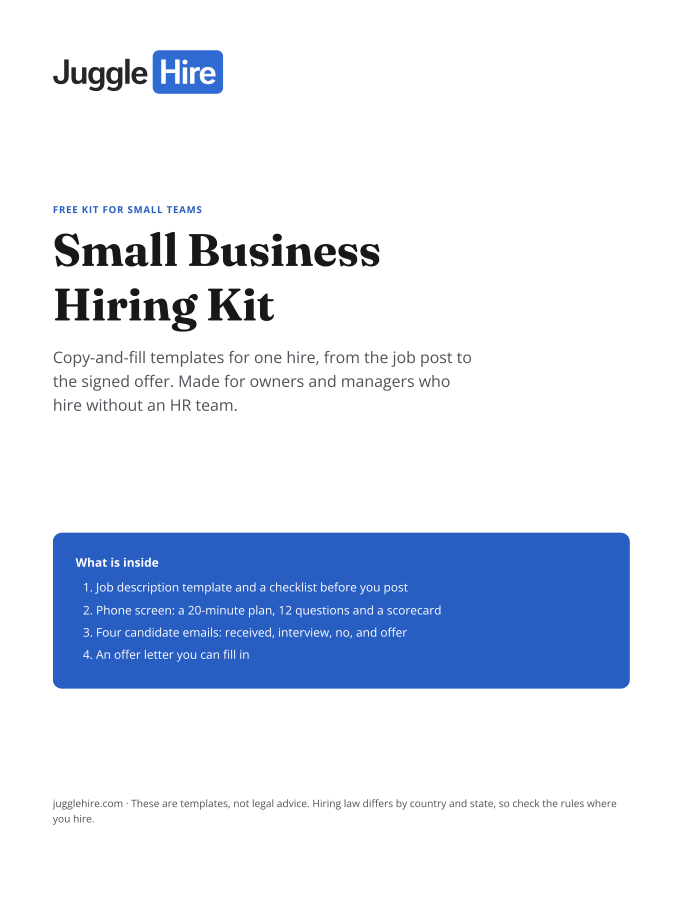
Get the Small Business Hiring Kit
- Job description template and a checklist before you post
- 20-minute phone screen: 12 questions and a scorecard
- Four candidate emails: received, interview, no, and offer
- An offer letter you can fill in
Free. We email you the kit and three short hiring tips. Unsubscribe any time.
Tagged with:

Zakir Hossen
Zakir, founder of JuggleHire - a Google Forms alternative for hiring. Bootstrapped entrepreneur and software engineer with 10+ years coding experience from BD.
Related Posts
ATS for Staffing Agency: How to Choose One in 2026
A buyer's checklist for picking an ATS for a staffing agency — what to look for, and where JuggleHire fits.
ats for staffing agencystaffing agency softwareapplicant tracking system
Read more
ATS for Staffing Agencies: The Real Monthly Cost for a 3-Recruiter Team (2026)
What a 3-recruiter staffing agency actually pays for an ATS — verified per-seat rates from $237 to $597/mo, and the flat-price alternative at $15/mo.
ats pricing for staffing agenciesstaffing agency software costper-seat vs flat-rate ats+1 more
Read more