Boolean search is the recruiter's superpower for finding candidates that normal keyword searches miss entirely. By combining simple operators like AND, OR, and NOT, you can cut through millions of profiles to surface exactly the talent you need, even passive candidates who aren't actively job hunting.
This guide covers everything from basic operators to platform-specific tricks, with ready-to-use Boolean string templates for the most common roles.
Quick Tool: Don't want to build strings manually? Use our free Boolean Search Generator to create perfect search strings for any role in seconds.
#What Is Boolean Search?
Boolean search is a structured search method that uses logical operators to combine or exclude keywords. Named after mathematician George Boole, it lets you build precise search queries instead of relying on vague keyword matching.
For recruiters, this means you can:
- Find candidates with specific skill combinations (Python AND AWS AND Kubernetes)
- Broaden searches to include synonyms (developer OR engineer OR programmer)
- Exclude irrelevant results (manager NOT "project manager")
- Target candidates on specific platforms using Google X-ray searches
Without Boolean search, you're stuck scrolling through hundreds of irrelevant profiles. With it, you go straight to qualified candidates.
#The Core Boolean Operators
Every Boolean search is built from five fundamental building blocks. Master these and you can search any platform effectively.
#Operator Reference Table
| Operator | What It Does | Example | Result |
|---|---|---|---|
| AND | Both terms must be present | recruiter AND sourcing |
Profiles with both "recruiter" and "sourcing" |
| OR | Either term can be present | developer OR engineer |
Profiles with "developer", "engineer", or both |
| NOT | Excludes a term | manager NOT intern |
Profiles with "manager" but not "intern" |
| " " (Quotes) | Exact phrase match | "machine learning" |
Only profiles with the exact phrase "machine learning" |
| ( ) (Parentheses) | Groups terms together | (Java OR Python) AND senior |
Senior profiles with Java or Python |
#AND Operator
AND narrows your search by requiring all terms to appear. Use it when you need candidates with multiple specific qualifications.
1"software engineer" AND Python AND Django
This returns only profiles that mention all three terms. Most search engines treat spaces as implied AND operators, but it's best practice to write them explicitly for clarity.
#OR Operator
OR broadens your search by accepting any of the listed terms. This is essential for capturing different job titles, synonyms, or variations.
1developer OR engineer OR programmer OR coder
This is particularly useful because candidates describe the same role differently. A front-end developer might call themselves a "UI engineer," "front-end developer," or "web developer."
#NOT Operator
NOT removes unwanted results. Use it to filter out irrelevant job levels, industries, or roles.
1"data analyst" NOT junior NOT intern NOT entry
Be careful with NOT. Overusing it can accidentally exclude good candidates whose profiles mention the excluded term in a different context.
#Quotes (Exact Phrase)
Quotes force the search engine to find the exact phrase, not individual words scattered across the profile.
1"product manager" vs product manager
Without quotes, a search for product manager might return someone who manages a product line as well as someone whose title is "Product Manager." Quotes eliminate that ambiguity.
#Parentheses (Grouping)
Parentheses control the order of operations, just like in math. They let you build complex, nested queries.
1("front end" OR frontend OR "front-end") AND (React OR Angular OR Vue)
Without parentheses, search engines may interpret your query differently than intended. Always use them when combining AND and OR in the same string.
#Boolean Search on LinkedIn
LinkedIn is the primary sourcing platform for most recruiters, and it supports Boolean search in several places:
- LinkedIn search bar (basic Boolean)
- LinkedIn Recruiter (advanced Boolean with more filters)
- Sales Navigator (similar to Recruiter)
#LinkedIn-Specific Syntax
LinkedIn supports AND, OR, NOT, quotes, and parentheses. A few things to know:
- Operators must be uppercase:
AND,OR,NOT(not and, or, not) - LinkedIn limits complexity: Strings over ~1,000 characters or with too many operators may not work
- NOT must come after AND/OR:
developer AND NOT juniorworks;NOT junior AND developermay not
#LinkedIn Boolean Search Examples
Finding a senior React developer:
1"software engineer" AND (React OR "React.js" OR ReactJS) AND (senior OR lead OR staff) NOT (junior OR intern OR "entry level")
Finding a recruiter who knows ATS tools:
1(recruiter OR "talent acquisition") AND (ATS OR "applicant tracking" OR "recruiting software") AND (senior OR lead OR manager)
#LinkedIn Recruiter Tips
If you have LinkedIn Recruiter access, combine Boolean with the built-in filters (location, company, years of experience) rather than adding those terms to your Boolean string. The filters are more accurate than keyword matching for structured data like location and tenure.
#Boolean Search on Google (X-Ray Searching)
X-ray searching uses Google to search within a specific website. This is powerful because Google indexes content that the site's own search might miss.
#The site: Operator
The site: operator restricts Google results to a specific domain:
1site:linkedin.com/in "data scientist" AND (Python OR R) AND "machine learning"
This searches only LinkedIn public profiles. The /in path limits it to individual profiles, excluding company pages and job posts.
#Google X-Ray Search Examples
Search LinkedIn profiles:
1site:linkedin.com/in "product manager" AND (B2B OR SaaS) AND (senior OR lead) -recruiter -jobs
Search GitHub for developers:
1site:github.com "full stack" AND (React OR Vue) AND (Node OR Python) AND "contributions"
Search Twitter/X for industry experts:
1site:x.com "marketing director" AND (SaaS OR "B2B") AND (growth OR "demand gen")
Note: On Google, use - (minus sign) instead of NOT to exclude terms.
#Why X-Ray Searches Work
Many professionals have public profiles on LinkedIn, GitHub, Stack Overflow, and personal websites that don't appear in the platform's own search results. Google crawls these pages, giving you access to candidates you'd otherwise miss. This technique is especially useful if you don't have a LinkedIn Recruiter license.
#Boolean Search on Job Boards
#Indeed
Indeed supports basic Boolean operators in its "what" search field:
1(developer OR engineer) AND Python AND (Django OR Flask) NOT senior
Indeed also recognizes title: and company: operators:
1title:("software engineer") AND Python
#Monster
Monster supports AND, OR, NOT, and quotes. Use them in the keyword field:
1"project manager" AND (PMP OR "Prince2" OR Agile) AND (construction OR engineering)
#General Job Board Tips
- Keep Boolean strings simpler on job boards since they have less text to search through compared to LinkedIn profiles
- Combine Boolean with the built-in filters (location, salary, date posted) for best results
- Test your strings, as some job boards handle complex queries inconsistently
#Ready-to-Use Boolean String Templates by Role
Here are tested Boolean strings you can copy and customize. For more templates or to build custom strings, try the Boolean Search Generator.
#Software Engineer
1("software engineer" OR "software developer" OR "full stack developer" OR "backend developer") AND (Java OR Python OR "C#" OR "C++") AND (AWS OR Azure OR GCP) NOT (junior OR intern OR "entry level" OR recruiter)
#Marketing Manager
1("marketing manager" OR "marketing director" OR "head of marketing" OR "VP marketing") AND ("digital marketing" OR "content marketing" OR SEO OR "demand generation") AND (B2B OR SaaS OR "lead generation") NOT (intern OR assistant OR coordinator)
#Sales Representative
1("sales representative" OR "account executive" OR "business development" OR "sales manager") AND (SaaS OR "software sales" OR "enterprise sales" OR B2B) AND (CRM OR Salesforce OR HubSpot) NOT (retail OR "customer service" OR intern)
#Data Analyst
1("data analyst" OR "business analyst" OR "data scientist" OR "analytics manager") AND (SQL OR Python OR R OR Tableau) AND ("data visualization" OR "business intelligence" OR reporting) NOT (junior OR intern OR "entry level")
#Product Manager
1("product manager" OR "product owner" OR "product lead" OR "head of product") AND (Agile OR Scrum OR "product strategy" OR roadmap) AND (SaaS OR B2B OR "product-led") NOT (project OR intern OR assistant OR coordinator)
Each of these can be further refined with location terms, specific technologies, or industry keywords based on your exact requirements.
#Advanced Boolean Techniques
#NEAR Operator
Some platforms (like LexisNexis and certain ATS systems) support the NEAR operator, which finds terms within a specified number of words of each other:
1manager NEAR/5 Python
This finds profiles where "manager" and "Python" appear within five words of each other. LinkedIn and Google do not support NEAR, but some enterprise sourcing tools do.
#Wildcards
The asterisk (*) acts as a wildcard on Google and some platforms:
1develop* AND Python
This matches "developer," "development," "developing," and other variations. LinkedIn does not support wildcards, but Google does.
#Deep Nesting
For highly specific searches, nest multiple levels of parentheses:
1(("machine learning" OR "deep learning" OR AI) AND (Python OR TensorFlow OR PyTorch)) AND (senior OR lead OR principal) AND (startup OR "series A" OR "series B") NOT (academic OR professor OR research)
This finds senior ML engineers at startups, excluding academic roles.
#Common Boolean Search Mistakes
1. Forgetting quotes around multi-word phrases.
software engineer searches for "software" and "engineer" separately. Always use "software engineer" for exact phrases.
2. Using lowercase operators on LinkedIn.
and, or, not won't work on LinkedIn. Always capitalize: AND, OR, NOT.
3. Overusing NOT.
Every NOT term risks excluding good candidates. A Python developer who previously worked as a "junior developer" gets excluded by NOT junior even if they're now senior.
4. Making strings too long. Overly complex strings return zero results. Start simple and add terms gradually.
5. Not accounting for title variations.
Job titles vary wildly. Always include OR groups for synonyms: ("software engineer" OR "software developer" OR programmer).
6. Skipping parentheses.
Without proper grouping, developer OR engineer AND Python might be interpreted as developer OR (engineer AND Python) instead of (developer OR engineer) AND Python.
#Tips for Refining Your Boolean Search Results
-
Start broad, then narrow down. Begin with a simple string and add AND/NOT terms until the result quality is right.
-
Check the first 20 results. If they're off-target, adjust your operators before scrolling further.
-
Use OR groups for job title variations. People title themselves differently, so always include 3-5 synonyms.
-
Combine Boolean with platform filters. Use LinkedIn's location, industry, and experience filters alongside your Boolean string rather than baking everything into keywords.
-
Save your best strings. Build a library of proven Boolean strings for roles you hire repeatedly. Or use the Boolean Search Generator to create and iterate quickly.
-
Test on Google first. If you're unsure whether a string works, run it on Google with
site:linkedin.com/into see results before using it in LinkedIn's search bar. -
Update strings regularly. Technology and job titles evolve. Review your saved strings quarterly to add new frameworks, tools, and title variations.
#Build Better Boolean Strings in Seconds
Writing Boolean search strings from scratch takes practice and time. If you want to skip the trial-and-error phase, our Boolean Search Generator lets you input a role and get a ready-to-use search string for LinkedIn, Google, or any job board instantly. No sign-up required.
#Related Resources
- Boolean Search Generator - Free tool to build search strings
- How to Automate Your Recruitment Process
- Recruiting Email Templates for Candidate Outreach
- Best Sourcing Tools for Recruitment Agencies
- Best Pre-Screening Questions by Role
- Talent Acquisition Trends
Ready to streamline your entire hiring workflow? Boolean search finds the candidates, but JuggleHire helps you manage the full pipeline, from first outreach to offer letter. Start free and see how much time you save.
Free download
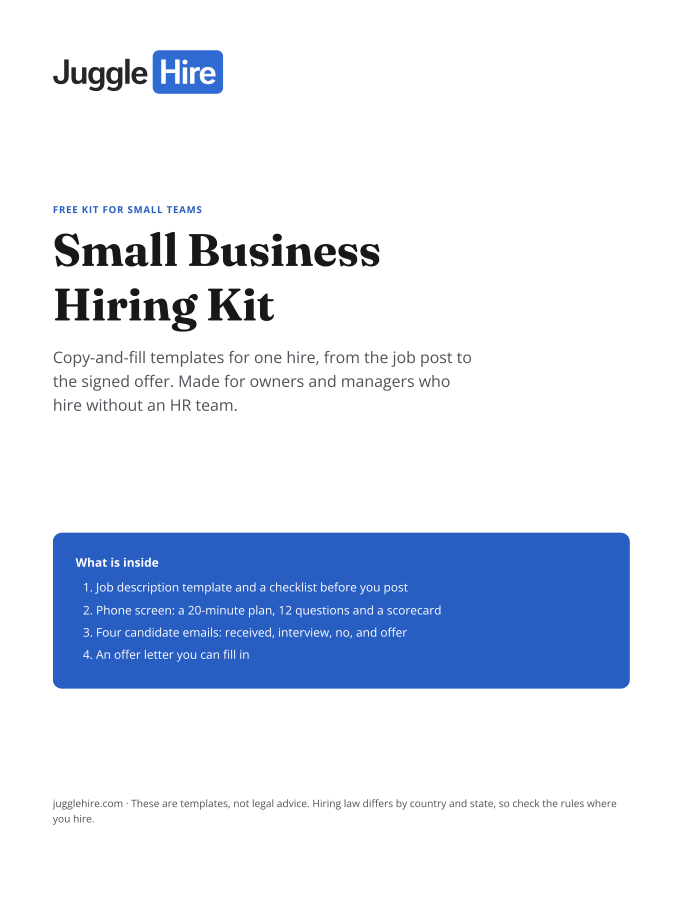
Get the Small Business Hiring Kit
- Job description template and a checklist before you post
- 20-minute phone screen: 12 questions and a scorecard
- Four candidate emails: received, interview, no, and offer
- An offer letter you can fill in
Free. We email you the kit and three short hiring tips. Unsubscribe any time.

Zakir Hossen
Zakir, founder of JuggleHire - a Google Forms alternative for hiring. Bootstrapped entrepreneur and software engineer with 10+ years coding experience from BD.
Related Posts
Candidate Experience Tools to Improve Your Hiring Journey
The best candidate experience tools for 2026. Improve every touchpoint of the applicant journey, from careers page to offer.
candidate experience toolscandidate experience softwareapplicant experience+5 more
Read more
8 Proven Hiring Strategies for Small Businesses in 2026
Discover 8 proven hiring strategies for small businesses to compete with larger companies.
hiring strategiessmall business hiringrecruitment tips+5 more
Read more