Quick answer: Recruitment agencies use an applicant tracking system to run every client role from one screen — sourcing and holding a reusable candidate database, screening and ranking applicants per role, submitting shortlists to clients, scheduling interviews, and closing the placement with an offer. The difference from an in-house ATS is volume and reuse: an agency runs several open roles across multiple clients at once, and the same candidate needs to stay searchable for the next role, not just the one they applied to.
Last Updated: October 20, 2026
#Why agencies use an ATS differently than in-house teams
An in-house recruiter runs one pipeline: post a role, screen applicants, hire, done. An agency recruiter runs many pipelines at once, for different clients, and — unlike an in-house hire — the person they place is a "product" they're selling to that client. That changes what the software needs to do.
Three things make agency use of an ATS distinct:
- Multiple client roles running in parallel. A 2–8 person agency is often juggling several open roles across multiple client companies at the same time. Losing track of which candidate is in play for which client role is a direct hit to revenue — a competing agency can place them first.
- The candidate database is the asset, not the job posting. A strong candidate sourced for one client last quarter is often the right fit for a different client's role this month. An ATS that "forgets" candidates once a job closes throws away the agency's most valuable resource.
- Speed to shortlist is the business. Agencies get paid on placement, not on activity. The faster a recruiter can go from a new client role to a submittable shortlist, the more fees the agency can bill in a month.
For the deeper distinction between "tracks one job" and "remembers every candidate," see our recruitment CRM vs ATS breakdown — most agencies actually want both in one tool.
This guide focuses on permanent-placement recruitment agencies — the software here is built around a searchable candidate database and client submittals, not timesheets, contractor payroll, or VMS integrations. If you run temp/contract staffing or executive search, the workflow below only partly applies.
#The agency workflow, step by step
#1. Build and hold a candidate database
Before a client role even exists, agencies import their existing candidate mess — spreadsheets, old emails, resumes collected over years — into a searchable database. A good ATS handles this without weeks of manual re-entry: CSV and bulk PDF resume import on an entry plan, with Google Sheets import and AI extraction of skills, experience, and contact details on a higher tier.
#2. Open a role for a client
Each new client requisition becomes a job in the system — with the pipeline stages, screening questions, and deal-breaker criteria specific to that client. Many agency roles are confidential and filled from the existing database plus targeted outbound, though a branded career page still catches inbound applicants for the roles an agency can name publicly.
#3. Search the database before sourcing from scratch
This is the step that separates an ATS-only tool from one built for agencies. Instead of starting a new search on LinkedIn every time, the recruiter searches their own talent pool first — by tag, group, or the role they came in through, plus name/email/phone lookup. Candidates who didn't get placed last time are often the fastest fill for a similar role today.
#4. Screen and rank applicants
Whether sourced fresh or pulled from the database, candidates get screened against the client's requirements. AI-assisted ranking — a verdict, fit signals, and flagged deal-breakers — cuts the time a recruiter spends reading every resume manually, which matters most when running multiple roles at once.
#5. Build the shortlist and submit to the client
The agency's real deliverable is the submittal: a short, ranked list of candidates presented to the client, usually with a formatted profile. Recruiters who rebuild this in Word every time lose hours per role — an ATS that keeps candidate data structured makes submittals fast to assemble.
#6. Schedule interviews and close the placement
Once the client wants to talk to a candidate, native scheduling (with an auto-generated Google Meet or Zoom link) removes the "what time works" email chain that eats a recruiter's day. From there an offer goes out, the candidate accepts and signs, and the role moves to filled — but the candidate doesn't disappear from the system. They stay in the talent pool, tagged and searchable, for the next client role that fits.
#What breaks when agencies use the wrong kind of ATS
A generic in-house ATS is built for a company hiring for itself, and the gaps show up fast for an agency:
- No cross-job candidate search. Generic ATS tools treat every job as standalone. An agency needs to find "everyone tagged 'React, mid-level'" across every role they've ever run, not just the current one.
- No submittal-shaped workflow. Tools built for in-house hiring assume the recruiter is the hiring manager. Agencies are selling a shortlist to someone else — the software needs to make that handoff easy, not just track pipeline stages.
Agency-native incumbents solve the above but bring their own costs:
- Per-recruiter pricing. Bullhorn lists $99/user/mo (Starter) and $165/user/mo (Core); JobAdder is quote-only, with third-party estimates putting it around $95–$200/user/month, plus an implementation fee. A 3-recruiter agency on Bullhorn's published tiers runs $297–$495/month before add-ons.
- Slow migration. One GetApp UK reviewer of Loxo reported an 8-week migration against a 3-week promise; Loxo replied on that review stating the migration took six weeks and was within its normal range — moving an existing candidate mess into a new system is still a common reason agencies stay on a tool they've outgrown, even when the timeline is disputed.
#How JuggleHire fits an agency's ATS workflow
One honest gap worth naming up front: JuggleHire today doesn't have a separate "client" data model or a dedicated submittal builder — candidates belong to your agency, not to one specific client record, you export or format the shortlist yourself, and there's no timesheet or contract-placement support. For most 2–8 person permanent-placement agencies running the workflow above, that's rarely a blocker. If you need formal client/contact management or a built-in submittal template on top of the candidate layer, that's worth confirming before you switch.
JuggleHire is a recruitment CRM for agencies that place permanent hires. It covers the candidate-side of the loop above: AI candidate ranking with verdict and deal-breaker signals, a searchable talent pool that keeps every candidate reachable across every client role, an Imports Hub for CSV, Google Sheets, and bulk PDF resumes, native interview scheduling, and offer letters with e-signature to close the placement.
Pricing is per team, not per recruiter: Starter at $15/month — up to 5 users and 3 open jobs — and Unlimited at $49/month — unlimited users and open jobs. Both are billed monthly with a 14-day trial (card required). If you're comparing against the agency-native incumbents, our Bullhorn alternatives page walks through the pricing math in more detail.
#Frequently Asked Questions
#What's the difference between an ATS for agencies and an ATS for in-house hiring?
An in-house ATS is organized around one company's open roles. An agency ATS needs to run multiple clients' roles at once and keep candidates searchable across all of them — because the same person sourced for one client role is often the right fit for another client's role later.
#Do recruitment agencies need a CRM instead of an ATS?
Most need both jobs done — a working pipeline and a reusable candidate database — which is why "recruitment CRM" is the term agencies increasingly reach for. See our recruitment CRM vs ATS comparison for the full breakdown.
#How much does an ATS cost for a small permanent-placement agency?
Agency-native tools charge per seat, which adds up fast for a small team. JuggleHire charges per team instead: $15/month (Starter, up to 5 users and 3 open jobs) or $49/month (Unlimited, unlimited users and open jobs).
#Can an ATS help agencies submit candidates to clients faster?
Yes — AI-assisted candidate ranking and structured profile data cut the time it takes to build a submittal shortlist compared to manually reformatting resumes in Word for every client role.
#What should a small agency look for before switching ATS tools?
Cross-job candidate search, a straightforward import path for existing candidate data, team-based pricing instead of per-recruiter billing, and a realistic setup time — agencies who've been burned by a slow migration are the most cautious about switching again. Note this guide covers permanent-placement workflows; temp/contract staffing needs timesheet and VMS features this category of tool doesn't provide.
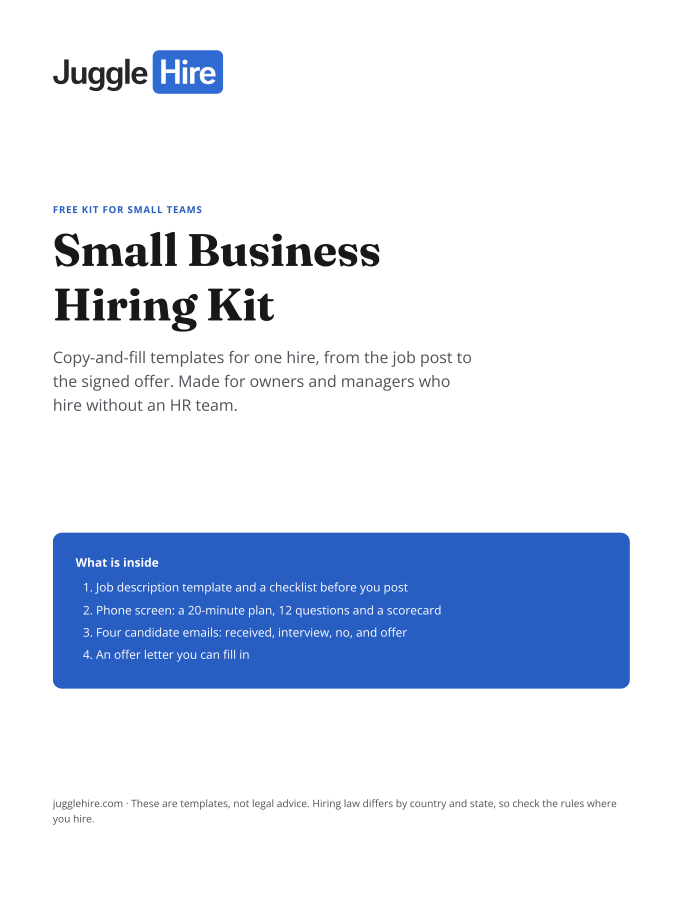
Free download
Get the Small Business Hiring Kit
- Job description template and a checklist before you post
- 20-minute phone screen: 12 questions and a scorecard
- Four candidate emails: received, interview, no, and offer
- An offer letter you can fill in
Free. We email you the kit and three short hiring tips. Unsubscribe any time.
Tagged with:

Zakir Hossen
Zakir, founder of JuggleHire - a Google Forms alternative for hiring. Bootstrapped entrepreneur and software engineer with 10+ years coding experience from BD.
Related Posts
ATS for Staffing Agency: How to Choose One in 2026
A buyer's checklist for picking an ATS for a staffing agency — what to look for, and where JuggleHire fits.
ats for staffing agencystaffing agency softwareapplicant tracking system
Read more
ATS for Staffing Agencies: The Real Monthly Cost for a 3-Recruiter Team (2026)
What a 3-recruiter staffing agency actually pays for an ATS — verified per-seat rates from $237 to $597/mo, and the flat-price alternative at $15/mo.
ats pricing for staffing agenciesstaffing agency software costper-seat vs flat-rate ats+1 more
Read more