"HR tracking system" means something different to everyone who searches for it. Your office manager wants to track PTO balances. Your founder wants to know where candidates sit in the hiring pipeline. Your accountant wants employee records organized for tax season.
The reality is, there's no single tool that does everything perfectly. But there are excellent tools for each piece of the puzzle, and some platforms that cover multiple bases well enough to keep a small team running smoothly.
This guide breaks down 10 HR tracking systems, organized by what they actually track, with the prices each vendor publishes. We checked every vendor's own pricing page on 19 October 2026. Where a vendor only gives quotes, we say so.
Quick answer: An HR tracking system is software that records employee data: hiring, employee records, time off, performance and payroll. For hiring and applicant tracking, JuggleHire is $15/month flat. For all-in-one HR tracking (employee records, time off, performance), BambooHR starts at $250/month flat for up to 25 employees. For payroll-first tracking, Gusto starts at $49/month plus $6 per person. For hourly teams, Homebase has a free plan for one location.
#What Does an HR Tracking System Actually Do?
An HR tracking system is any software that helps you monitor, record, and manage employee-related data. That sounds broad because it is. The term covers everything from applicant tracking systems to full HRIS platforms.
Here's how the different types break down:
#Types of HR Tracking
| Tracking Type | What It Covers | Who Needs It |
|---|---|---|
| Hiring/Applicant Tracking | Job postings, candidates, interviews, offers | Anyone actively recruiting |
| Employee Records | Personal info, contracts, documents, org charts | Every business with employees |
| Time-Off & Attendance | PTO balances, sick days, leave requests | Teams with 5+ employees |
| Performance Tracking | Goals, reviews, feedback cycles | Growing teams focused on retention |
| Onboarding Tracking | Task checklists, training progress, document completion | Companies hiring regularly |
| Payroll & Benefits | Compensation, tax docs, benefit enrollment | Everyone (often handled separately) |
Most small businesses need two or three of these. The mistake is buying an enterprise platform that covers all six when you only need two, or trying to track everything in a spreadsheet when you clearly need dedicated software.
#Signs You've Outgrown Spreadsheets
If any of these sound familiar, it's time for a proper tracking system:
- You've lost a candidate because their resume sat unread in someone's inbox
- PTO requests come through Slack, email, and texts, and nobody has the real balance
- You can't quickly answer "how many people did we interview last quarter?"
- Onboarding is a Google Doc checklist that gets copy-pasted (and never fully completed)
- Employee documents are scattered across Drive folders, email attachments, and desktops
#10 HR Tracking Systems Compared
Here's a pricing overview before we dive into each tool (checked 19 October 2026):
| System | Best For | Starting Price | Free Plan | Tracking Focus |
|---|---|---|---|---|
| JuggleHire | Hiring pipeline tracking | $15/mo | No (14-day trial) | Applicant tracking, hiring |
| BambooHR | All-in-one HR tracking | $250/mo flat up to 25 employees (Core) | No | Employee records, PTO, performance |
| Gusto | Payroll + HR tracking | $49/mo + $6/person | No | Payroll, benefits, basic HR |
| Personio | European teams | From €7.60/employee/mo | No | Full HR suite, compliance |
| Deel | Global/remote teams | $49/mo per contractor | Not published | Global payroll, compliance, contracts |
| Rippling | IT + HR combined | Quote only | No | Employee lifecycle, IT, payroll |
| Zoho People | Zoho users | Per user (see Zoho) | Yes (up to 5 users) | Time-off, attendance, performance |
| Bob (HiBob) | Culture-focused teams | Quote only | No | Engagement, performance, analytics |
| Paycor | Payroll-heavy businesses | Quote only | No | Payroll, scheduling, compliance |
| Homebase | Hourly/shift workers | Free (1 location, up to 10 employees) | Yes | Scheduling, time tracking, hiring |
#1. JuggleHire - Best for Hiring Pipeline Tracking
If your main tracking problem is the hiring process, not employee management after the hire, JuggleHire is purpose-built for that.
What it tracks:
- Candidate pipeline (applied, screened, interviewed, offered, hired)
- Job postings on your career page, Google for Jobs and an XML job feed
- Interview schedules and scorecards
- Hiring team collaboration and notes
- Offers, with e-signature
Pricing: Starter $15/month or Unlimited $49/month, flat for the team. 14-day free trial (no free plan), credit card required.
Why small businesses pick it: Most applicant tracking systems are designed for companies hiring 50+ people at once. JuggleHire is built for teams making a few critical hires, where every candidate matters. There's no enterprise overhead, no per-seat pricing that punishes you for involving your team, and you set it up yourself.
Ideal for: Startups, small agencies, and founders who are doing recruiting themselves alongside their day job.
Check out our complete guide to ATS software or see how JuggleHire stacks up against the best applicant tracking systems for small businesses.
#2. BambooHR - Best All-in-One HR Tracking
BambooHR is the system most people picture when they think "HR tracking." It covers employee records, PTO, performance reviews, onboarding, and basic reporting in a single platform.
What it tracks:
- Employee database and org chart
- PTO and leave management
- Performance reviews and goal tracking
- Onboarding task completion
- Employee experience tools
- Hiring and onboarding
Pricing: Up to 25 employees, a flat monthly rate: Core $250, Pro $425 (adds performance management), Elite $650. Above 25 employees, per employee per month from about $10 (Core), $17 (Pro) and $25 (Elite), with automatic volume discounts. BambooHR confirms the price by quote.
Best for: Companies with 15-100 employees that want one system for all HR tracking. The hiring features exist but aren't as deep as a dedicated ATS.
#3. Gusto - Best Payroll + HR Tracking Combo
Gusto started as payroll software and expanded into HR. If your tracking needs center on compensation, tax documents, and benefits, with some PTO tracking on top, Gusto does it well.
What it tracks:
- Payroll runs and tax filings
- Benefits enrollment and administration
- PTO balances and requests
- Employee directory and documents
- Basic onboarding workflows
Pricing: Simple at $49/month + $6/person, Plus at $80/month + $12/person, Premium at $180/month + $22/person.
Best for: Small businesses that want payroll and HR tracking in one tool without paying for a full HRIS.
#4. Personio - Best for European Teams
Personio is an HR tracking system built with European compliance in mind. If you have employees in the EU and need GDPR-compliant tracking with localized workflows, it's worth a look.
What it tracks:
- Employee records with EU compliance
- Absence and attendance tracking
- Recruiting pipeline
- Payroll preparation (country-specific)
- Performance and development
Pricing: Starts from €7.60 per employee per month; the final price comes with a custom quote after a demo.
Best for: European companies or businesses with EU-based employees that need compliance-first tracking.
#5. Deel - Best for Global and Remote Teams
Deel handles the tracking headache that comes with hiring across borders. Contractor agreements, international payroll, local compliance, all in one platform.
What it tracks:
- Global contractor and employee payments
- International compliance and tax documents
- Contract lifecycle management
- Time-off across multiple jurisdictions
- Equipment and IT asset tracking for remote workers
Pricing: Contractor management from $49/month per contractor ($325 for Contractor of Record). US PEO from $125 and EOR from $599 per employee per month.
Best for: Companies hiring contractors or employees in multiple countries.
#6. Rippling - Best IT + HR Tracking Combined
Rippling connects HR tracking with IT management. When you hire someone, it provisions their laptop, sets up email, and enrolls them in benefits. When they leave, it revokes everything. That lifecycle tracking is its biggest strength.
What it tracks:
- Employee lifecycle (hire to exit)
- IT device and app management
- Payroll and benefits
- Time and attendance
- Learning and compliance training
Pricing: Quote only. Rippling's pricing page builds a custom quote from the modules and headcount you pick.
Best for: Tech-forward companies that want HR and IT tracked in the same system.
#7. Zoho People - Best Budget HR Tracking
Zoho People gives small teams a lot of tracking capability for very little money. If you're already using Zoho products, the integration is seamless.
What it tracks:
- Employee database
- Time-off and attendance
- Performance reviews and 360 feedback
- Timesheets and project tracking
- Case management (employee queries)
Pricing: Per-user plans, a free edition for up to 5 users and a 30-day free trial. Zoho shows prices by region, so check its pricing page for yours.
Best for: Budget-conscious teams, especially those already in the Zoho ecosystem.
#8. Bob (HiBob) - Best for Culture and Engagement Tracking
Bob focuses on the "people" side of HR tracking. Beyond the standard employee records, it emphasizes engagement surveys, culture metrics, and people analytics.
What it tracks:
- Employee records and org chart
- Engagement surveys and culture metrics
- Performance cycles and goals
- Compensation benchmarking
- Workforce planning and analytics
Pricing: Quote only. HiBob offers a demo; it publishes no prices.
Best for: Companies with 50+ employees that care about tracking engagement and culture alongside operational HR.
#9. Paycor - Best for Payroll-Heavy Tracking Needs
Paycor comes from the payroll side and has expanded into broader HR tracking. Its strength is deep payroll and compliance tracking, especially for businesses with complex pay structures.
What it tracks:
- Payroll processing and tax compliance
- Benefits administration
- Scheduling and time tracking
- Recruiting and onboarding
- Workforce analytics
Pricing: Quote only. Paycor's pricing link leads to a contact-sales page; it publishes no prices.
Best for: Businesses with hourly workers, multiple pay rates, or complex payroll requirements.
#10. Homebase - Best for Hourly and Shift-Based Teams
Homebase is built for businesses with hourly workers. If your tracking needs revolve around shifts, clock-ins, and labor cost management, it's the most practical option on this list.
What it tracks:
- Shift scheduling and availability
- Clock-in/clock-out and timesheets
- Labor cost vs. sales tracking
- Basic hiring and onboarding
- Team communication
Pricing: Basic is free for one location with up to 10 employees. Essentials is $30, Plus $70 and All-in-One $120 per location per month on monthly billing; annual billing is cheaper (Essentials $24).
Best for: Restaurants, retail, and service businesses with hourly employees.
#How to Choose the Right HR Tracking System
#Start With Your Biggest Pain Point
Don't shop for features you don't need yet. Ask yourself what's actually broken right now:
- "I'm losing track of candidates" - You need an applicant tracking system. Start with JuggleHire or a similar focused tool.
- "I can't manage PTO and employee info" - You need an HRIS like BambooHR or Zoho People.
- "Payroll is a mess" - Start with Gusto or Paycor.
- "I'm hiring globally and compliance scares me" - Look at Deel or Personio.
- "I need to schedule shifts" - Homebase was built for this.
#The Build-vs-Bundle Decision
You have two approaches:
Best-of-breed (separate tools for each need):
- Use JuggleHire for hiring, Gusto for payroll, and a simple PTO tracker
- Pro: Each tool is excellent at its job
- Con: More logins, potential data gaps between systems
All-in-one (one platform for everything):
- Use BambooHR or Rippling for the full stack
- Pro: Everything lives in one place
- Con: Compromise on depth in some areas, higher cost
For most small businesses under 30 employees, the best-of-breed approach is cheaper and more practical. You can always consolidate later as you grow.
#Key Questions to Ask Before You Buy
- What's the real total cost? Many platforms advertise low per-user prices but require add-on modules for essential features. Get a complete quote for everything you need.
- How easy is data migration? If you're moving from spreadsheets, how does the import process work? Can you export your data if you switch later?
- Who will actually use it? If only HR uses it, employee self-service doesn't matter much. If employees and managers need access, the UI and mobile experience matter a lot.
- Does it integrate with your existing tools? Check for integrations with your payroll provider, communication tools, and cloud-based recruitment software if you use one.
- What's the implementation timeline? Self-serve tools like JuggleHire can be set up in a day. Enterprise HRIS platforms can take weeks. Plan accordingly.
#Pricing Comparison by Team Size
Costs look different depending on your team size. Here's the published list price per month for a 10-person and 25-person team (checked 19 October 2026):
| System | 10 Employees | 25 Employees | Notes |
|---|---|---|---|
| JuggleHire | $15 | $15 | Flat pricing, hiring-focused (Starter covers 5 team members who use it) |
| BambooHR | $250 | $250 | Core flat rate up to 25 employees |
| Gusto | $109 | $199 | Simple plan: $49 base + $6/person |
| Personio | from €76 | from €190 | From €7.60/employee; quote after demo |
| Deel | $490 | $1,225 | If all are contractors at $49 each; EOR is $599 per employee |
| Rippling | Quote | Quote | Custom quote |
| Zoho People | See Zoho | See Zoho | Per-user plans |
| Bob (HiBob) | Quote | Quote | Demo first |
| Paycor | Quote | Quote | Contact sales |
| Homebase | Free-$120 | $30-$120 | Per location; free Basic covers up to 10 employees |
#Setting Up Your First HR Tracking System
If you're moving from spreadsheets to software, here's a practical checklist:
#Week 1: Foundation
- Choose your tool based on your primary tracking need
- Import employee data (most tools accept CSV uploads)
- Set up user accounts and permissions
- Configure PTO policies and balances
#Week 2: Processes
- Set up onboarding workflows for new hires
- Configure approval chains for time-off requests
- Create document templates (offer letters, policies)
- Connect integrations (payroll, calendar, Slack)
#Week 3: Team Rollout
- Train managers on approvals and reporting
- Walk employees through self-service features
- Run a test cycle (submit a PTO request, process a mock hire)
- Gather feedback and adjust settings
#Ongoing
- Review tracking reports monthly
- Update policies as your team grows
- Evaluate if your current tool still fits (revisit annually)
You can also explore our free HR and hiring tools to supplement your tracking system.
#FAQ
#What is an HR tracking system?
An HR tracking system is software that records and manages employee-related data. This includes hiring pipelines, employee records, time-off balances, performance reviews, payroll information, and compliance documents. The term covers everything from simple applicant tracking systems to full human resource information systems (HRIS). Most small businesses start with one or two tracking needs and expand from there.
#How much does an HR tracking system cost?
Costs range from free to several hundred dollars per month, depending on the type and scope. Basic hiring trackers like JuggleHire start at $15/month with flat pricing. Full HRIS platforms like BambooHR start at $250/month for up to 25 employees. Gusto charges a base fee plus $6 to $22 per person. Rippling, HiBob and Paycor only give quotes. Always calculate total cost for your actual team size rather than comparing per-user rates alone.
#Can I use one system for all HR tracking?
You can, but most small businesses are better served by two or three focused tools rather than one massive platform. For example, pairing JuggleHire for hiring and applicant tracking with Gusto for payroll and PTO tracking covers most needs at a lower total cost than an all-in-one HRIS. As your team grows past 50 employees, consolidating into a single platform starts to make more financial and operational sense.
#What's the difference between an HR tracking system and an ATS?
An applicant tracking system (ATS) is a specific type of HR tracking system focused entirely on the hiring process, from job postings through candidate management to offer acceptance. A broader HR tracking system covers the entire employee lifecycle: onboarding, employee records, time-off, performance, and sometimes payroll. Think of an ATS as one piece of the larger HR tracking puzzle. Read our ATS software guide for a deeper comparison.
#Do I need an HR tracking system for a team under 10?
Not necessarily for everything, but you probably need at least one tracking tool. If you're actively hiring, a simple ATS like JuggleHire prevents candidates from falling through the cracks. If you have employees on payroll, a tool like Gusto handles tax compliance and PTO tracking. The "we're too small for HR software" mindset usually costs more time and money than the software itself. Start with the tool that solves your biggest current pain point and add more as you grow.
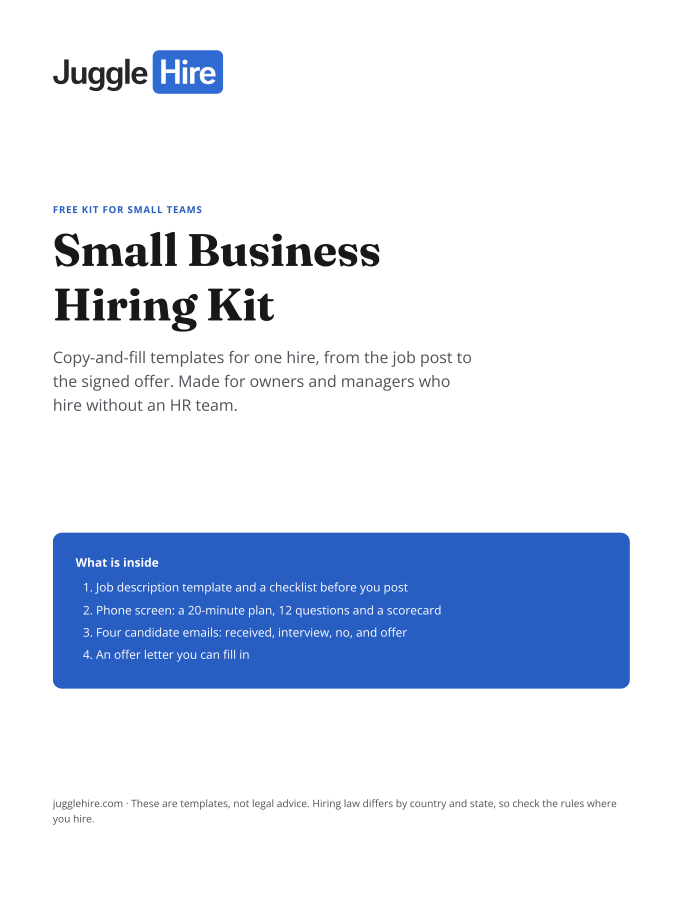
Free download
Get the Small Business Hiring Kit
- Job description template and a checklist before you post
- 20-minute phone screen: 12 questions and a scorecard
- Four candidate emails: received, interview, no, and offer
- An offer letter you can fill in
Free. We email you the kit and three short hiring tips. Unsubscribe any time.
Tagged with:

Zakir Hossen
Zakir, founder of JuggleHire - a Google Forms alternative for hiring. Bootstrapped entrepreneur and software engineer with 10+ years coding experience from BD.
Related Posts
ATS for Staffing Agency: How to Choose One in 2026
A buyer's checklist for picking an ATS for a staffing agency — what to look for, and where JuggleHire fits.
ats for staffing agencystaffing agency softwareapplicant tracking system
Read more
ATS for Staffing Agencies: The Real Monthly Cost for a 3-Recruiter Team (2026)
What a 3-recruiter staffing agency actually pays for an ATS — verified per-seat rates from $237 to $597/mo, and the flat-price alternative at $15/mo.
ats pricing for staffing agenciesstaffing agency software costper-seat vs flat-rate ats+1 more
Read more